
 Need help?
Do you have a question about the Prodipe Studio 22 and is the answer not in the manual?
Lists essential software included with the audio interface, such as Cubase LE and Prodipe VE.
Details technical specifications of the Prodipe Studio 22 USB audio interface, including connectivity and features.
Outlines features of Cubase LE and the low-latency ASIO 2 driver for enhanced audio performance.
Crucial guidelines for safe operation, maintenance, and handling of the appliance to prevent risks.
Lists the items included in the product packaging, such as the interface, cable, and DVD-ROM.
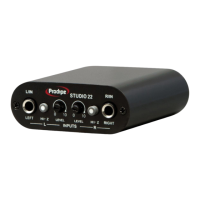
Details the controls and connectors located on the front panel of the Prodipe Studio 22.
Describes the connectors and indicators found on the rear panel of the audio interface.
Provides detailed technical data for the Prodipe Studio 22, including inputs, outputs, and sample rates.
Information on operating system compatibility and low latency performance with the ASIO 2 driver.
 General
| Type | Studio monitor |
|---|---|
| Tweeter Size | 1 inch |
| Drivers | 2 |
| Inputs | RCA |
| Material | MDF |
| Application | Mixing and recording |

 To Next Page