Copyright © 2011 Prodipe / IPE Music
Box content:
USB audio Interface Prodipe Studio 22 Pro
USB cable
DVD-ROM with installation software's and ASIO 2 Prodipe's driver.
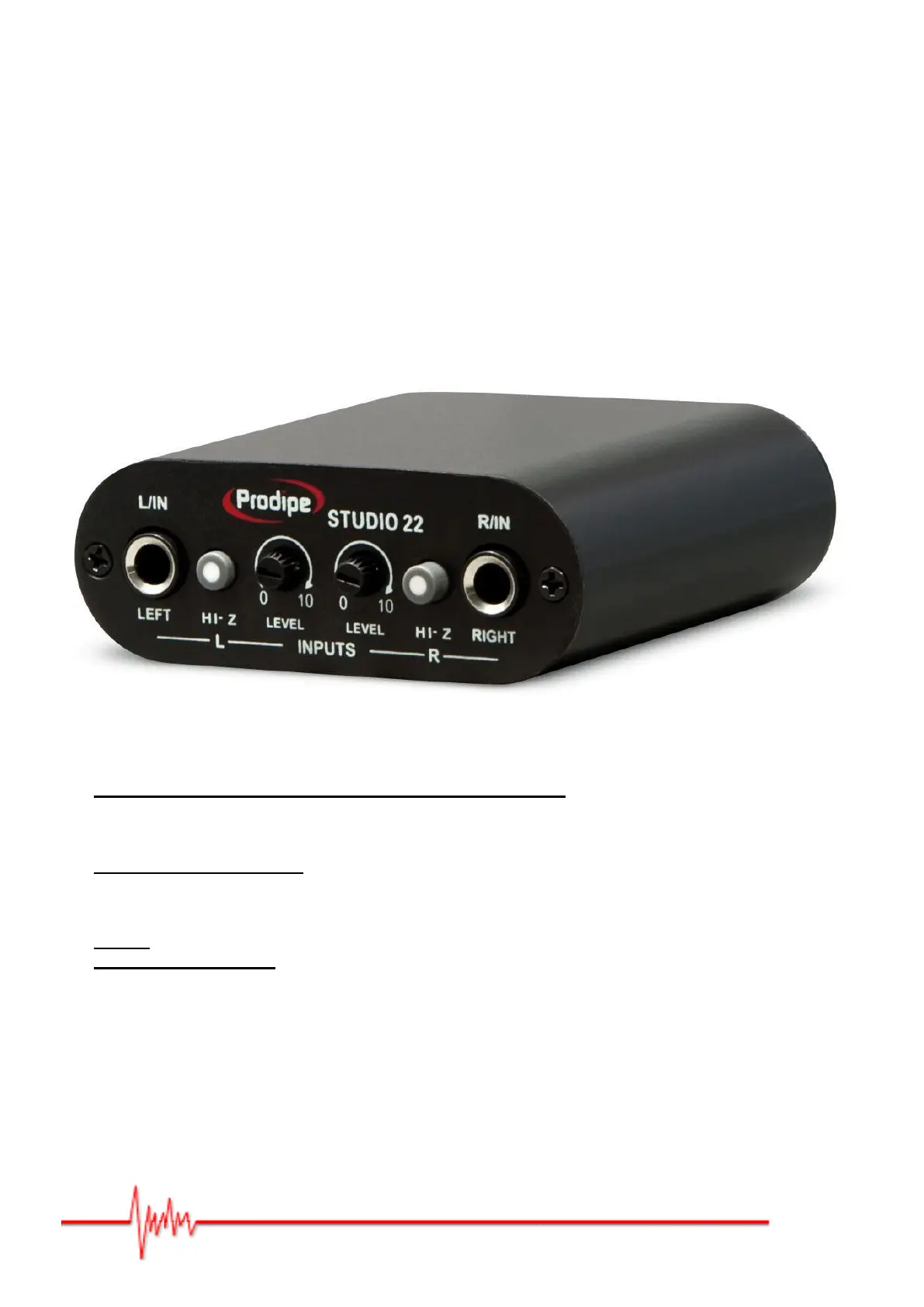
Front panel :
"L/IN" and "R/IN" (LEFT & RIGHT)
Left and right inputs for microphone or instrument jack ¼"
These connectors are for high or low impedances signals (microphones, guitars, keyboards, etc…).
"HI-Z"
High-impedance switches.
These switches let you use (pushed position) a high-impedance audio source (guitar for ex.) on the
corresponding jack (left or right, independently).
"Level"
Input gain level knobs.
These knobs let you adjust the level of the audio input signal of the corresponding jack (left or right)


 To Next Page