Prodys S.L. Tel: +34 91 6896880 Fax: +34 91 6943777 Email: sales@prodys.net Web: www.prodys.com
Page 16
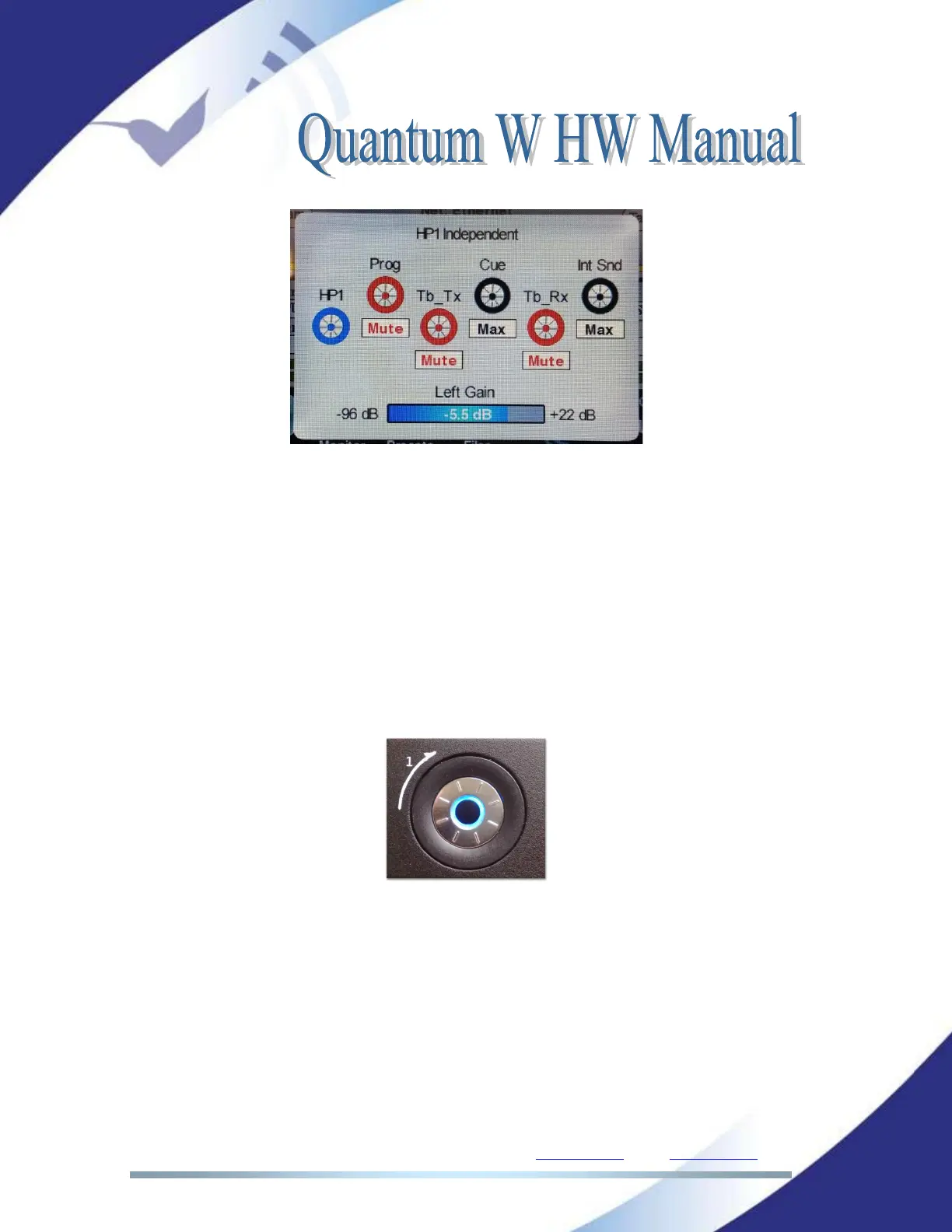
When this window is active, the six round buttons are active and each one
controls the headphone mix (in the example above, HP1) and the five inputs that
can be added to the mix: Program (Prog), Cue (Cue), Talkback TX (Tb_Tx),
Talkback RX (TB-Rx) and International Sound (Int Snd).
When the control icon is shown in black color, it indicates that the input is
available for headphone output.
When the control icon is in red, that input is muted and, therefore, not added to
the headphone output.
The commentator can enable or disable any of the sources just pressing any of
the equivalent hardware middle buttons.
In SIP communications Talkback TX (Tb_Tx) and Talkback RX (TB-Rx) are not
available.
II.2.2.3. Independent and panoramic operation modes
There are three different operation modes for the headphone outputs. These
three modes can be selected from the web page or from the touch panel menu:



 To Next Page