Prodys S.L. Tel: +34 91 6896880 Fax: +34 91 6943777 Email: sales@prodys.net Web: www.prodys.com
Page 42
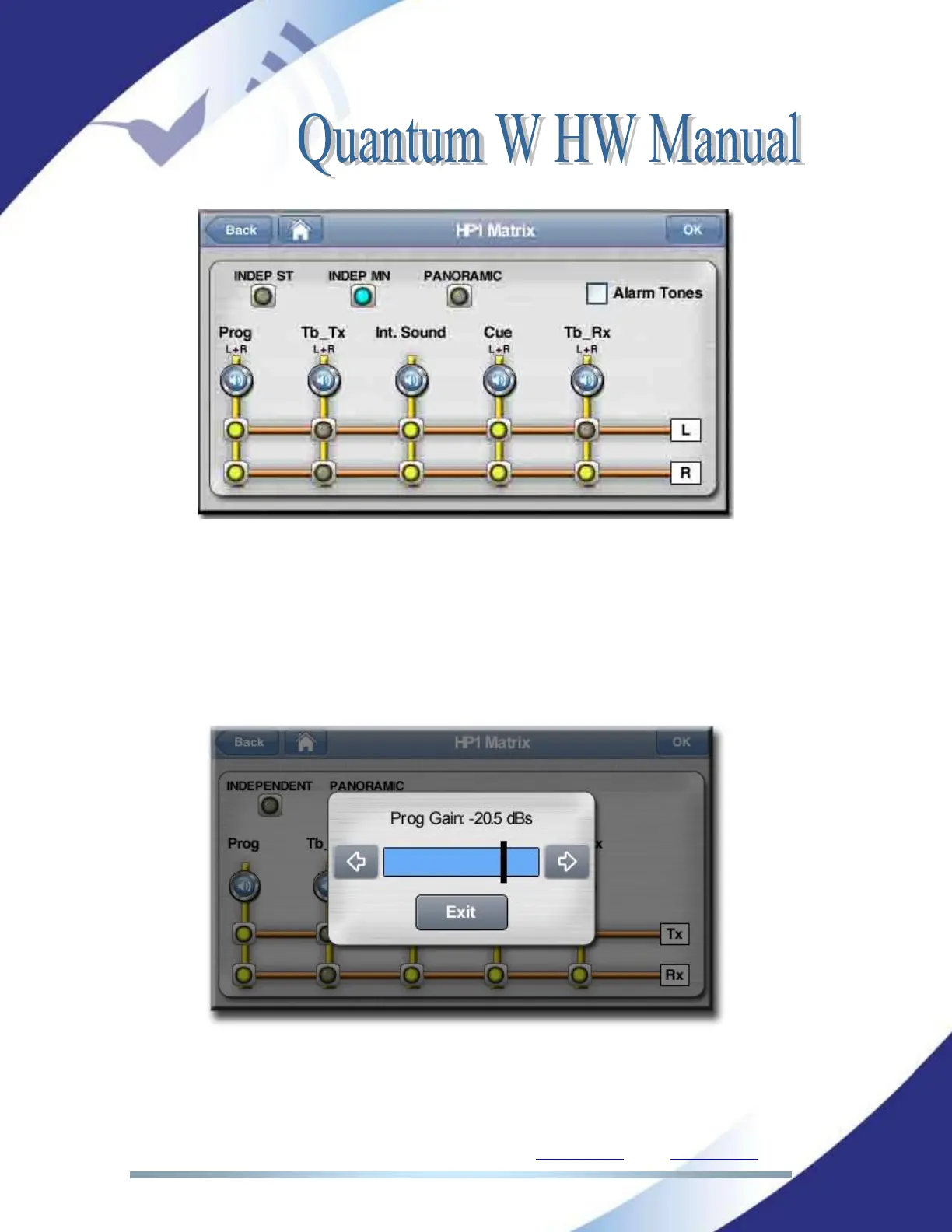
To go to the HP Matrix configuration window click on ‘Menu->Audio->Outputs’,
and then select the headphone output to configure.
By clicking on the loudspeaker icon, right below the name of the column, the
user can set an attenuation for the mixing of the corresponding audio source to
the Tx and/or Rx signals.
There are three different operation modes for the headphones, Independent
Stereo, Independent Mono and Panoramic. Please, read chapter II.2.2 for more
information about these three modes.



 To Next Page