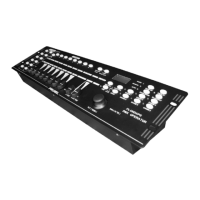
Per assegnare X (fine) ed Y (fine) della centralina (joystick orizzontale e verticale –
pagina B) ai canali 3 e 4 del motorizzato (pan fine e tilt fine), bisogna premere il
pulsante di selettore di pagina e passare alla pagina B.
6. dopo che i 4 canali del faro motorizzato sono stati assegnati al joystick, premere i
pulsanti FINE + MODE per uscire dalla modalità setting
7. per copiare i settaggi dello scanner 1 sullo scanner 2, premere e mantenere
premuto il pulsante SCANNERS 1, quindi premere SCANNERS 2 e rilasciarli
entrambi. Gli indicatori a led lampeggeranno ed il settaggio è stato così duplicato
sul secondo scanner.
ASSEGNAZIONE DEL FADE TIME:
con questa funzione è possibile determinare se assegnare il FADE TIME solo al pan e
tilt o a tutti gli altri canali DMX. Tutto ciò ha senso specialmente nel caso in cui lo
specchio di uno scanner o la testa di un testamobile debbano muoversi lentamente, ma i
colori ed i gobos debbano cambiare velocemente.
- Spegnere la centralina
- Premere e tenere premuti contemporaneamente i pulsanti MODE e DISPLAY
- Accendere la centralina
- Premere il pulsante DISPLAY per selezionare la modalità “ALL CH FD TIME” (per
tutti i canali DMX) o “ONLY X/Y FD TIME” (solo per i canali pan e tilt)
- Premere contemporaneamente i pulsanti MODE e DISPLAY per memorizzare la
selezione effettuata. Tutti i led lampeggeranno ad indicare che la memorizzazione è
stata effettuata.
FUNZIONAMENTO
MODALITA’ MANUALE
Per selezionare la modalità manuale, premere il pulsante AUTO/DEL, fino a quando il
led corrispondente al funzionamento manuale non sia acceso.
In modalità manuale (led Program spento) è possibile richiamare manualmente i fari
connessi e controllarli tramite i rispettivi sliders. Considerare che le posizioni impostate
non possono essere memorizzate.
Selezionare il motorizzato attraverso il rispettivo pulsante scanner. Impostare le funzioni
desiderate attraverso i rispettivi sliders.
TEST DI SCENE E BANCHI
Selezionare la scena da testare attraverso uno dei pulsanti SCENES. Selezionare il
banco da testare attraverso i pulsanti BANK UP/DOWN.
TEST DI UN CHASE:
Selezionare il chase da testare, attraverso uno dei pulsanti chase. Premendo il pulsante
DISPLAY, il display visualizzerà il passo corrente nel chase. Premere i pulsanti BANK
UP/DOWN per selezionare ciascuna scena.
9
- Press one of the SCENE buttons in order to save the data. All leds on the panel will
be flashing, indicating the data is saved.
- Repeat the steps above, until the program is finished of the maximum number of
steps (8) has been reached.
- Press and hold the PROGRAM button in order to exit programming mode.
RUNNING A PROGRAM:
- Press the BANK UP/DOWN buttons and select the desired program.
- Press the AUTO button, the Auto led will be lit.
- Adjust the program speed via the SPEED fader and the repetition rate via the FADE
TIME fader.
- As an alternative, you can adjust the program speed by tapping the DISPLAY
button twice. The time interval between the two taps, corresponds to the program
speed (up to 10 minutes).
CHECKING A PROGRAM:
- Press and hold the PROGRAM button for about 2 seconds to enter the
programming mode. The program flash will flash.
- Select the desired program via the BANK UP/DOWN buttons
- Check every scene individually by pressing the respective SCENES button.
EDITING A PROGRAM:
When programs have to been edited, it is necessary to modify a scene manually.
- Press and hold the PROGRAM button for about 2 seconds to enter the
programming mode. The program flash will flash.
- Select the program to be edited via the BANK UP/DOWN buttons
- Select the desired scanner via SCANNERS buttons
- Adjust the desired settings via the respective channel faders.
- Press MIDI/REC button to prepare a saving.
- Select the desired scene via the SCENES button, to save.
COPY A PROGRAM:
- Press and hold the PROGRAM button for about 2 seconds to enter the
programming mode. The program flash will flash.
- Select the bank to be copied via the BANK UP/DOWN buttons
- Press MIDI/REC button to prepare saving
- Select the bank where you want to copy the bank, via the BANK UP/DOWN buttons
- Press the MUSIC/BANK COPY button to copy the bank. All leds on the panel will
flash.
CHASE
A chase is a sequence of different programs (banks) that will be called up one after
another. With the DMX operator, you can program up to . different chases each up to
steps.
PROGRAMMING A CHASE
- Press and hold the PROGRAM button for about 2 seconds to enter the
programming mode. The program flash will flash.
- Select the chaser to be programmed via the CHASE buttons
- Select the desired program via the BANK UP/DOWN button
24


 To Next Page
 Loading...