EasyManua.ls Logo

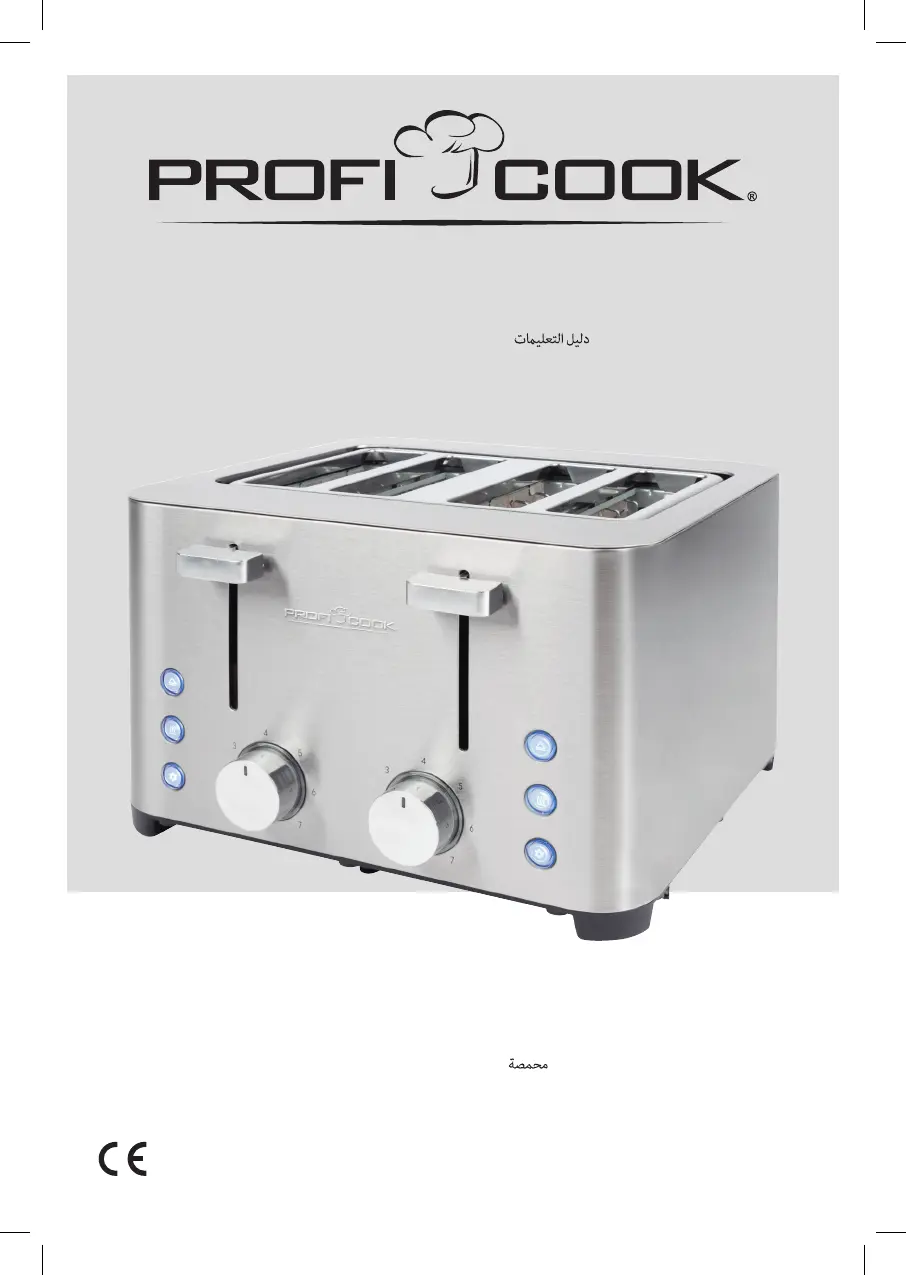
Proficook PC-TA 1252 - User Manual

Proficook PC-TA 1252
38 pages
Go to English
Print Icon
To Next Page IconTo Next Page
Loading...
PC-TA1252_IM 30.06.22
Bedienungsanleitung
Instruction Manual • Gebruiksaanwijzing • Mode d’emploi • Manual de instrucciones
Istruzioni per l’uso Instrukcja obsługi / Gwarancja Használati utasítás
Руководство по эксплуатации
Toaster
PC-TA 1252
Toaster • Broodrooster • Grille-pain
Tostadora • Tostapane • Toster
Kenyérpirító Тостер

Questions and Answers

  • Z
    Zachary WilliamsJul 30, 2025
    What to do if the Proficook Toaster toasting slide no longer moves up?
    • J
      jennifer58Jul 30, 2025
      If the toasting slide on your Proficook Toaster isn't moving, it's likely that a slice of bread is stuck. First, pull the mains plug out of the socket and let the appliance cool down completely. Then, using an insulated object like a wooden stick, carefully dislodge the bread. If needed, turn the toaster upside down to help the bread fall out.
  • B
    brandi75Aug 5, 2025
    Why Proficook PC-TA 1252 has no function?
    • M
      Mark KnoxAug 5, 2025
      If your Proficook Toaster isn't working, there could be a few reasons: * Check if the toaster has power supply by testing the power socket with another appliance. * Ensure the mains plug is correctly inserted. * Check your house fuse. If none of these steps work, it is recommended to contact a specialist.
  • C
    Catherine CarterAug 13, 2025
    What to do if my Proficook PC-TA 1252 bread is getting too dark?
    • W
      wkochAug 13, 2025
      If your bread is getting too dark in the Proficook Toaster, the toasting level is likely set too high. Try selecting a lower toasting level for your next slice.
  • M
    Margaret BellAug 21, 2025
    Why is my Proficook Toaster bread too light?
    • E
      elizabethholmesAug 22, 2025
      If your bread is too light when using the Proficook Toaster, the toasting level might be set too low. Try selecting a higher toasting level to achieve your desired result.

Summary

Component Identification

Overview of Components and Scope of Delivery

Details the various parts of the toaster and what is included in the package.

General Safety Warnings

Highlights critical safety instructions and potential hazards during appliance operation.

Connected Load and Overload Caution

Informs about the appliance's power consumption and warns against using multi-sockets.

Usage and Maintenance Guidance

Preparation and First Use

Instructions for initial setup, including mains cable connection and first operation.

Operation and Special Functions

Details on how to operate the toaster and utilize special functions like reheat and defrost.

Bread Roll Attachment Usage

Guidance on attaching, using, and storing the removable bread roll warmer.

Cleaning Instructions

Procedures for cleaning the appliance exterior, bread roll attachment, and crumb trays.

Storage and Disposal

Storage and Cable Management

Recommendations for storing the appliance and winding the mains cable for tidiness.

Technical Data

Provides key specifications such as model, power supply, consumption, and weight.

Disposal Information

Guidance on environmentally friendly disposal of the appliance and its components.

Proficook PC-TA 1252 Specifications

General IconGeneral
Control typeLevel, Rotary
Warming rackYes
Product colorStainless steel
Number of slots4
Number of slices- slice(s)
Number of browning levels7
Electronic browning control-
AC input voltage220 - 240 V
AC input frequency50/60 Hz
Maximum input power1500 W
Sustainability certificatesCE, REACH
Weight and Dimensions IconWeight and Dimensions
Weight2200 g
Slot width40 mm

Related product manuals