Bedienungsanleitung / Instruction manual ProM54 14
3. Unlock the grind adjustment ring by pushing the adjustment clip on the left side of the grinder.
x You can achieve a finer grind by turning the ring clockwise.
x You can achieve a coarser grind by turning the ring counter-clockwise.
Grinding degree (Stepwise adjustment): finer coarser
(clockwise) (counterclockwise)
When adjusting, we suggest to increase or decrease a few steps at a time until achieving
the desired grind.
The coffee reacts differently depending on the weather. Choose a finer grind in dry weather
and a coarser grind in humid weather.
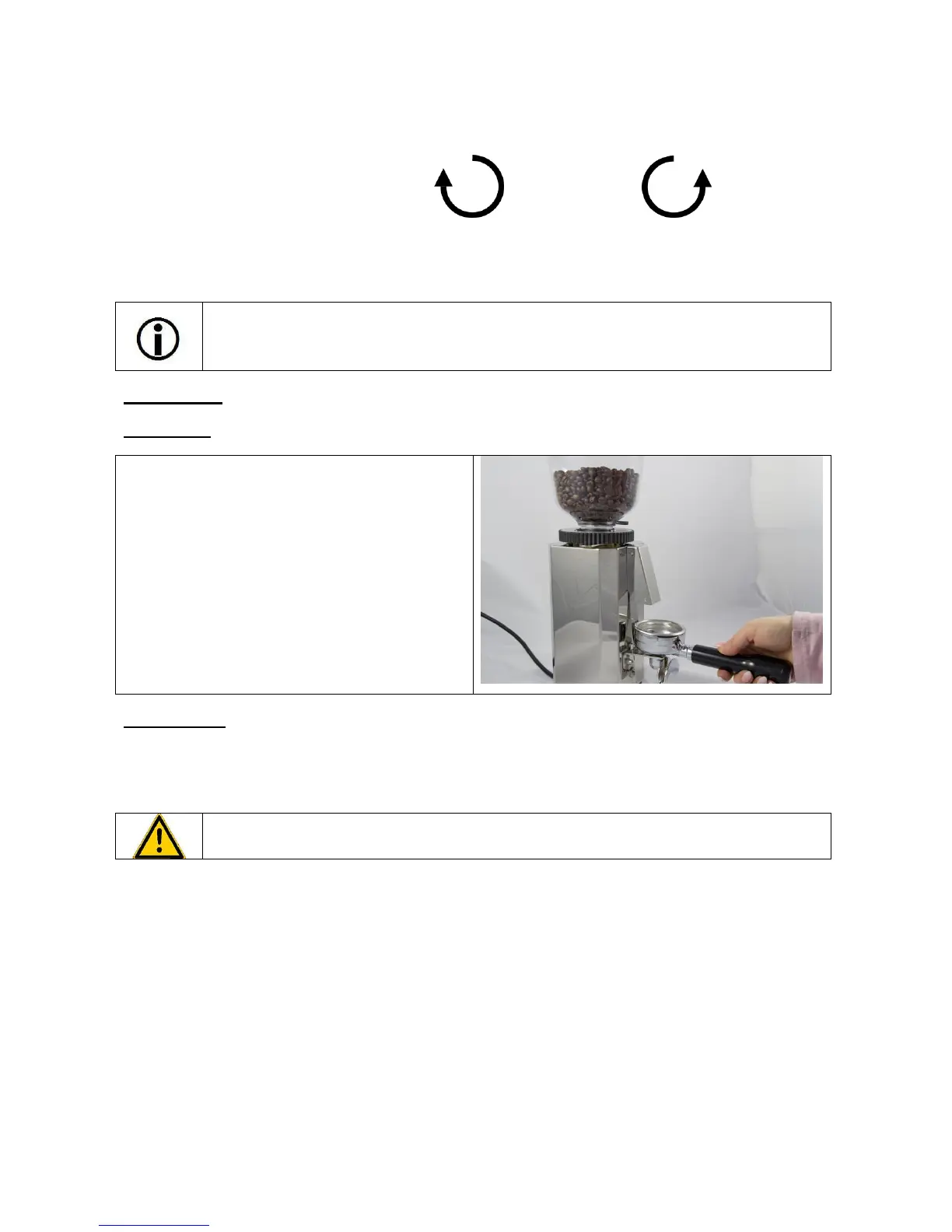
Grinding starts when the contact spring is pressed.
Grinding stops when the portafilter is pulled away
from the spring.
6. CLEANING
A regular and thorough cleaning of the grinder avoids fats and oils in the coffee negatively affecting the
coffee aroma. Clean the grinding burrs and the threads very carefully. If there are coffee residues left in the
thread, the grinder cannot be adjusted properly.
Important: Always switch off the machine (power switch in position “0”) and disconnect the
power cord before cleaning the grinder.
1 Clean the empty bean hopper inside and outside with a damp cloth.
2 Dry the bean hopper with a soft, clean cloth.
3 Also clean the grinder housing with a damp and with a dry cloth.


 To Next Page