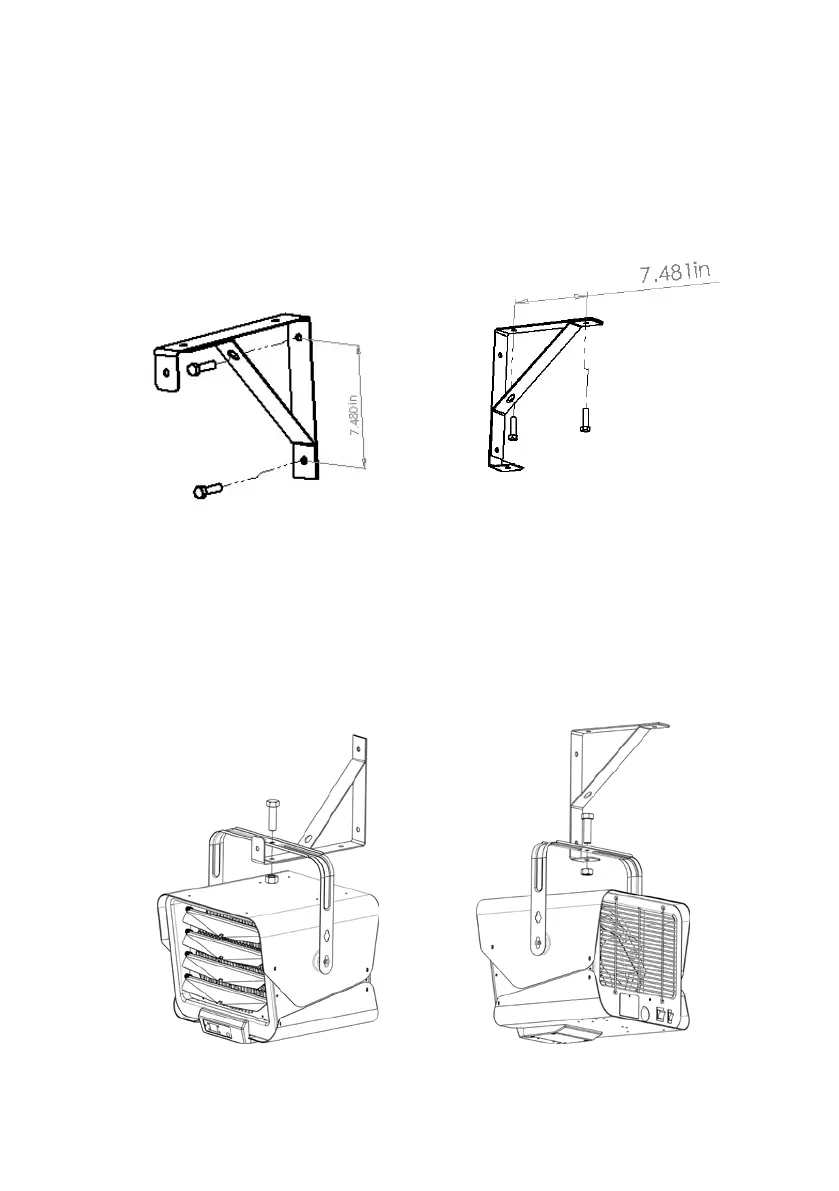
4. Mark the drill-hole positions in the wall or ceiling for the mounting
bracket.
5. Drill the required holes with diameter fit for the anchor provided
for positioning the mounting bracket.
6. Insert the anchors.
7. Attach the mounting bracket to the wall or ceiling and secure
with mounting screws.
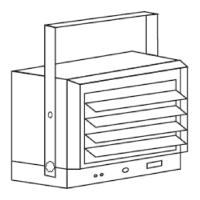
8. Hook the unit to the mounting bracket and let the unit hang from
the mounting bracket.
9. Insert the screw through the mounting bracket and the heater
handle, tighten the nut.


 To Next Page