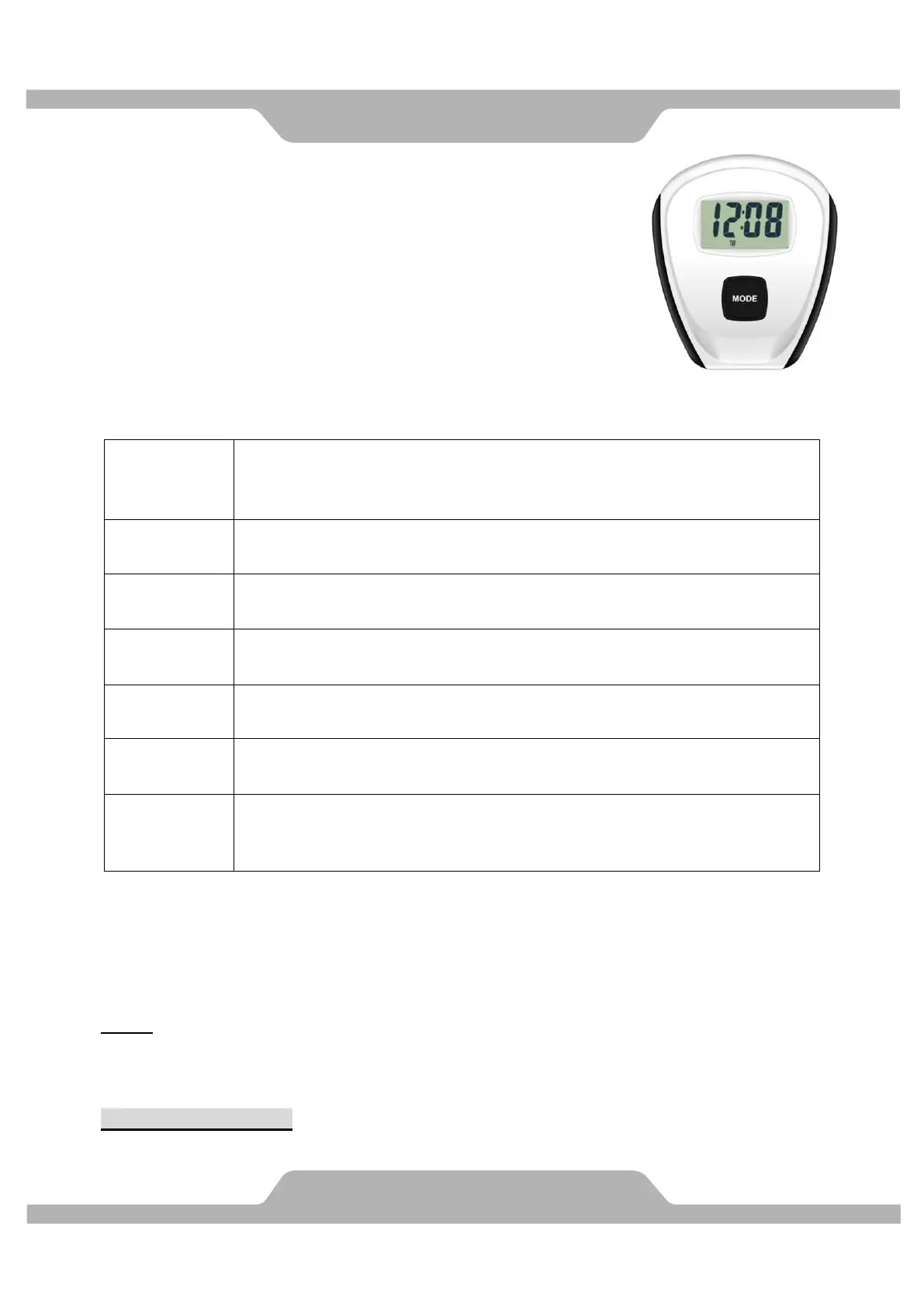
SPECIFICATIONS:
SCAN------------------ Changeable display each function for every
6 seconds, it will cycle showing.
TIME------------------- 0:00~99:59
COUNT---------------- 0~9999
CALORIES----------- 0~9999
PULSE---------------- 30~240 BPM
OPERATION:
MODE: Display changes according to the next diagram, automatically display of the
following functions in the order shown:
SCAN TIME TIME COUNT CALORIES PULSE SCAN TIME.
NOTE
1. Two batteries are used for this computer. SUM3 SIZE AA ( 1.5V)
2. Keep far away from rain and wet place.
COUNTING METHOD:
Once per two RPM count.
Press MODE until SCAN appears on the screen; the computer
automatically scan through each function value every six seconds on
the display.
Press MODE to TIME window, the computer will display your actually
workout time.
Press MODE to COUNT window, computer display the number of
movement。
Press MODE to CALORIES window, the computer will display the
total accumulated calories burned during workout.
Press and hold MODE key in 2 seconds, the functional values reset
to zero.
User current heart rate values with a flash heart symbol in 6 seconds
after you hold both grips on hand pulse sensors during exercising
When you start to exercise or press the button on the computer, turn
it on. If you have no any action or signal input to computer for 4
minutes, the power will turn off automatically.


 To Next Page