13
3. USING THE PROJECTA BM500 APP (CONTINUED)
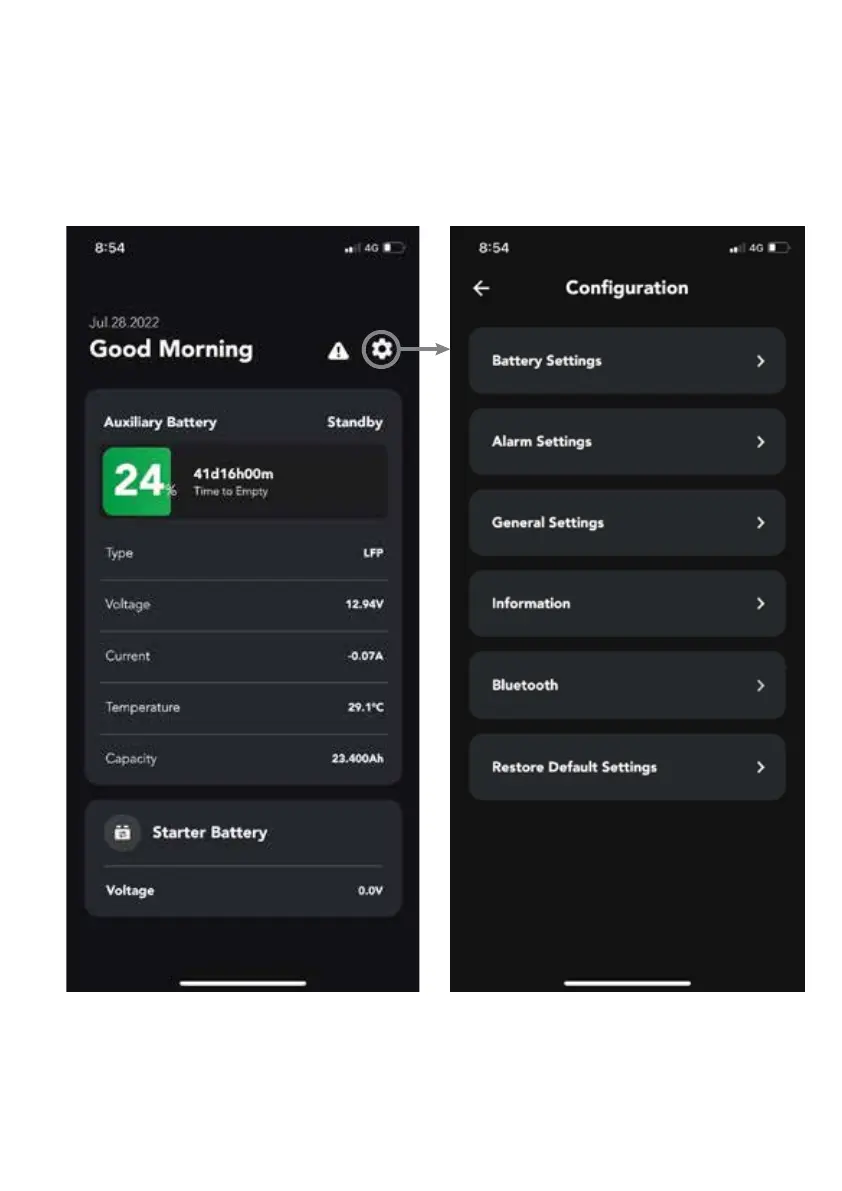
The user can adjust the settings by clicking on the COG icon on the top right of the menu
Note: Upon first set up, it is recommended to adjust the following two settings:
Battery Settings -> Battery Capacity (see 3.1)
Alarm Settings -> Over current-discharging (see 3.2.6 )


 To Next Page