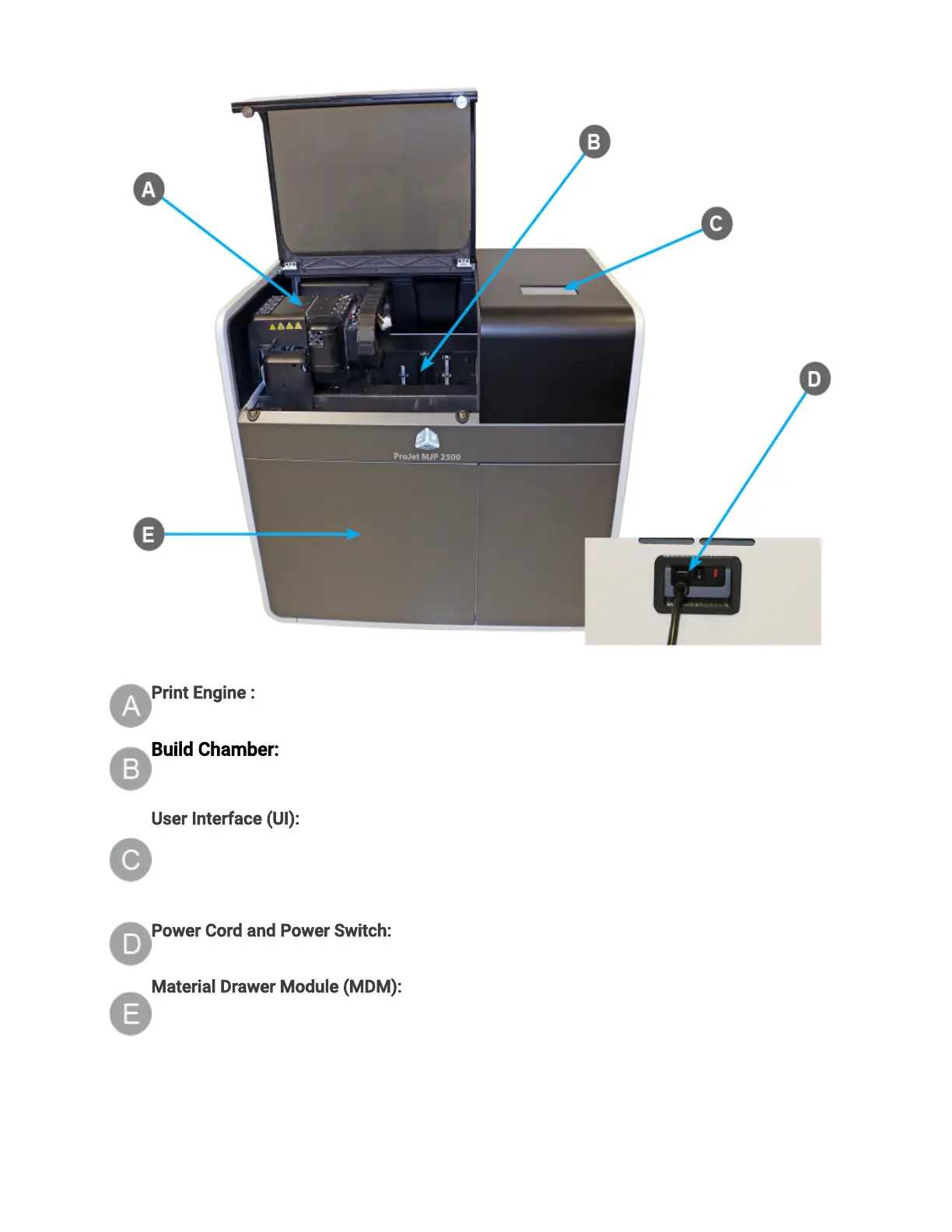
Print Engine : The Print Engine contains major systems such as the Printhead, Planarizer,
and UV Lamp Assembly.
Build Chamber: TheBuild Chamber is the area where the print platform can be found.
All print jobs are built on the print platform. For more information see Printing Area.
User Interface (UI): This is the built-in touchscreen which allows the user to interface with
the printer. The touchscreen allows the user to check printing status, material levels, as well
as power printer off. For more information on what user can access through the UI go to the
User Interface section of this manual.
Power Cord and Power Switch:The electrical power cord is plugged into the printer here.
There is also a Power Switch located next to the power outlet.
Material Drawer Module (MDM): The MDM drawer is a push/push type mechanism. To open
the drawer push in, drawer should pop open allowing you to pull it open the rest of the way.
The MDM contains the part and support materials and the waste bag.
Printing Area



 To Next Page