PL-2303 Mac OS X Driver Installation Guide
Document Rev 1.4
PL2303 Mac OS X 10.6 and Above Driver Installation Guide.doc
Prolific Technology Inc. - 6 of 10 - January 16, 2015
All information herein is subject to change without prior notice. Prolific Technology Inc. does not make any warranties regarding
the accuracy and completeness of this document and shall in no event be liable for any loss of profit or any other commercial
damage, including but not limited to special, incidental, consequential, or other damages.
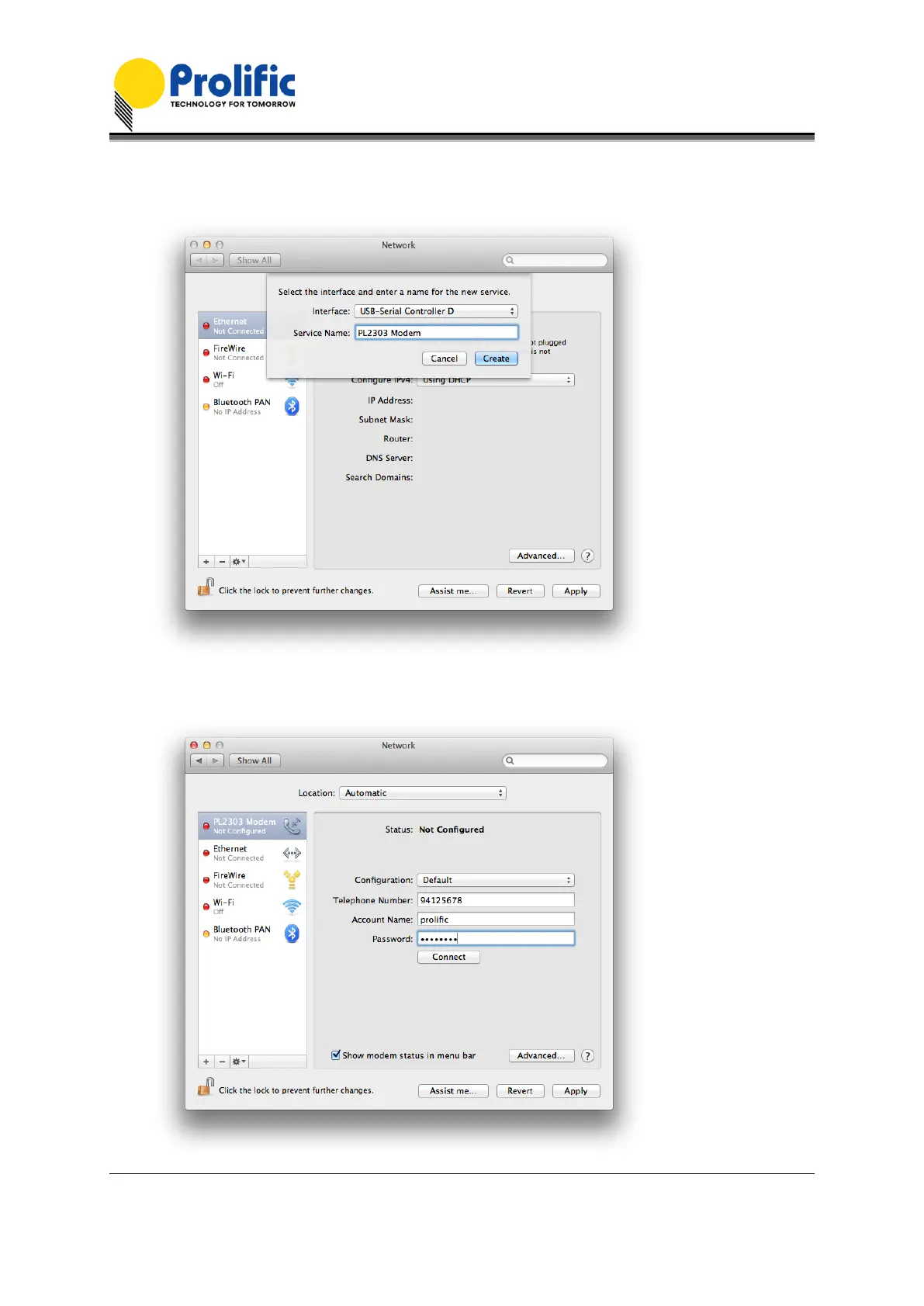
3. Select the Interface “USB-Serial Controller”. You can also choose to change the Service Name
to distinguish the device if you have several devices attached.
4. Now the “USB-Serial Controller” device is added to the list and you can start to configure the
serial modem Internet dial-up settings attached to the PL-2303 cable adaptor.


 To Next Page