Need help?
Do you have a question about the PROLiNK WN2001 and is the answer not in the manual?
Insert CD, run Setup.exe, and accept license terms to begin installation.
Choose to install the driver and utility or driver only.
Click 'Install' to proceed and confirm completion of the software installation.
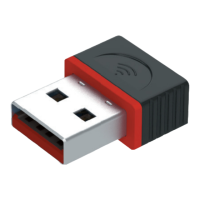
Insert the PROLINK WN2001 Wireless-N Nano USB Adapter into a USB port on your laptop or PC.
Double-click the network icon and click the connection utility icon to start.
Choose SSID, authentication, encryption, and enter password to connect.
View the screen showing network details upon successful connection.
Conditions under which the warranty is valid, including proper filling and submission.
Situations where the warranty is not applicable, such as user negligence or accidents.
Defines what the warranty covers, typically hardware components, and specific notes for netbooks.
Contact information for Prolink's customer service in Indonesia, including walk-in, phone, and email.
Contact information for Prolink's customer service in Malaysia, including walk-in, phone, and email.
Contact information for Prolink's customer service in Singapore, including walk-in, phone, and email.
General technical support phone numbers for Indonesia, Malaysia, and Singapore.
 General
| Category | Adapter |
|---|---|
| Model | WN2001 |
| Type | Wireless USB Adapter |
| Wireless Standards | IEEE 802.11b/g/n |
| Frequency Band | 2.4 GHz |
| Data Rate | Up to 150 Mbps |
| Interface | USB 2.0 |
| Security | WEP, WPA, WPA2 |
| Antenna | Internal |
| Operating Systems Supported | Windows XP/Vista/7/8/10 |

 To Next Page