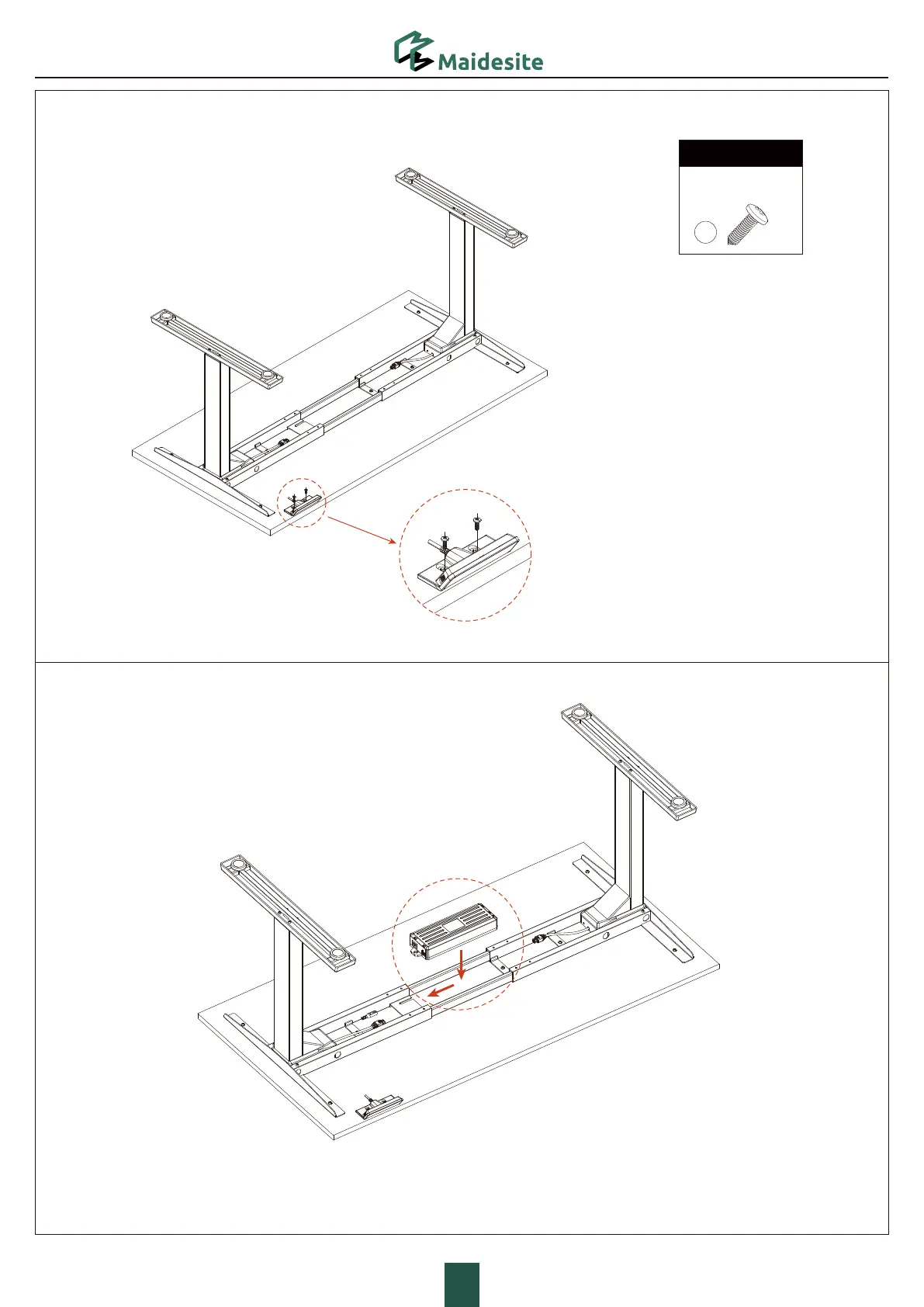
For the desktop from our brand, please
secure the handset to the pilot holes with 2
ST5*0.8*16 self-tapping screws.
·For the desktop from other brand, please
secure the handset to a proper position
with 2 ST5*0.8*16 self-tapping screws.
Tighten the 2 screws
Insert the clip on the bottom of the control box into the installation
position of the right crossbar end (with the installation position), as
shown in the picture.
STEP 7: Install the Control Box
STEP 6: Install the Handset
P8
Hardware List
H2
ST5*0.8*16
Tapping Screw
×2
H.
G.



 To Next Page