1
*OTUSVDUJPOTPG)BOETFU
CAUTION
Please ensure that no objects (walls) will interrupt the movement of the desk,
and all cables of relevant devices are sufficiently long.
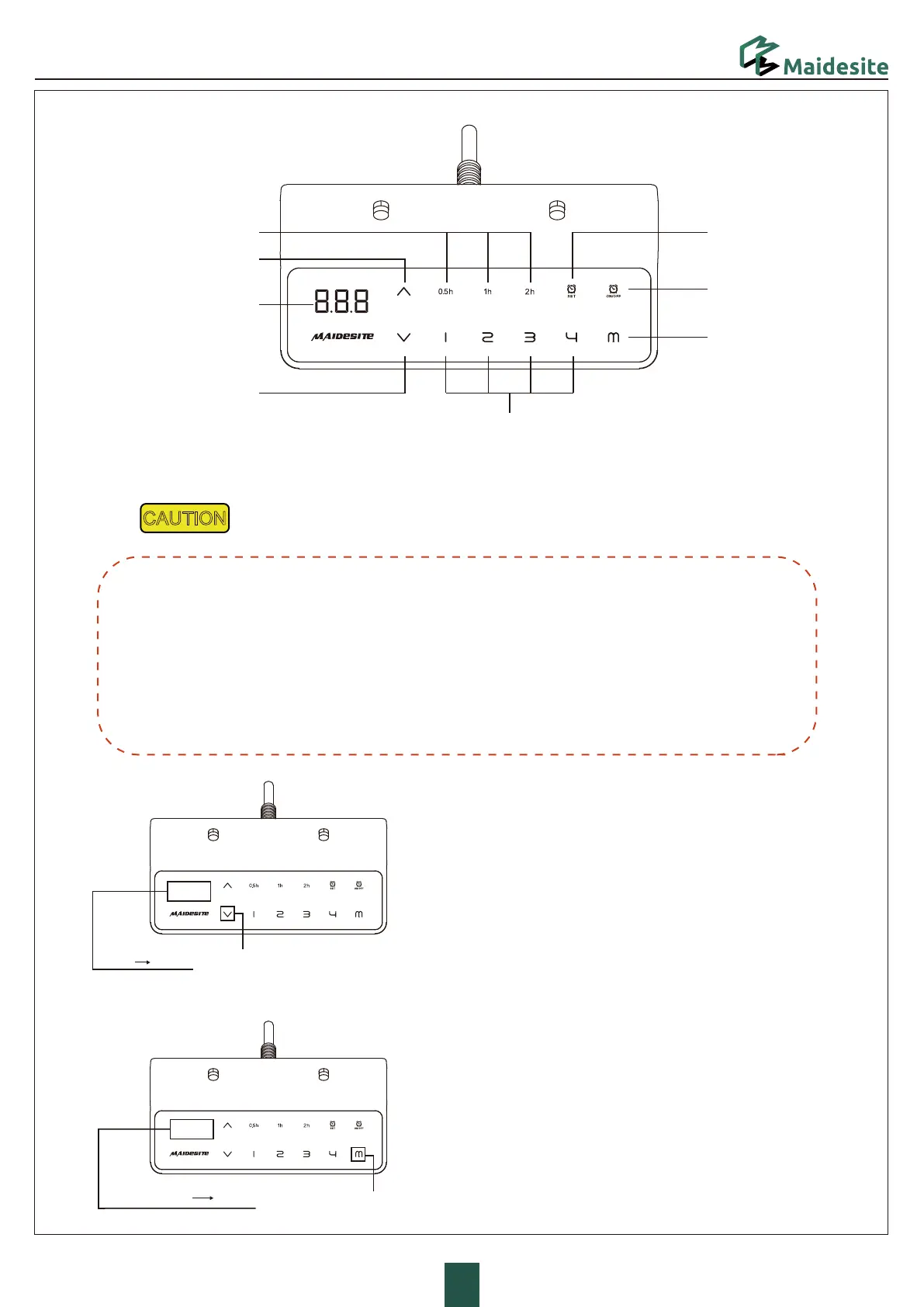
1.Enter the RST mode:
Hold the 'DOWN' key for 5s while the desktop is at the lowest
position (otherwise lower the desktop first).
The digital display shows RST. Now the system enters RST mode.
2.Quit the RST mode:
Hold the 'DOWN' key again until the desktop moves down slightly
and then moves up slightly. The display shows the current height.
The system quits RST mode.
Reset Exception Protection:
Condition
The digital display shows error E07/E08/E09
Disconnecting/Reconnect power, the error still remains.
Pressing any key has no effect.
Operation
Hold the 'DOWN' key for 5s, the digital display shows RST.
Release and hold the 'Down' key again to reset the desk.
(Note: This operation is also applicable to forced reset.
Please lower the desk to the lowest point first when forced reset.)
3&4&5
Set the upper limitn:
Touch the 'M' key: the display shows 'S-'.Touch the 'UP' key: the display
flashes. Touch and hold the 'M' key for 2s until the display shows '999'.
The upper limit is now stored.
“E07”
“E08”
“E09”
“S-”
“RST”
UP
DOWN
)PMEGPST
5PVDI
Height Setting
Memory Heights
Digital Display
Sit-stand Reminder
Time Display
Sit-stand
Reminder Setting
Sit-stand
Reminder Switch
Memory/Setting



 To Next Page