1
The next parts can be set according to your preference.
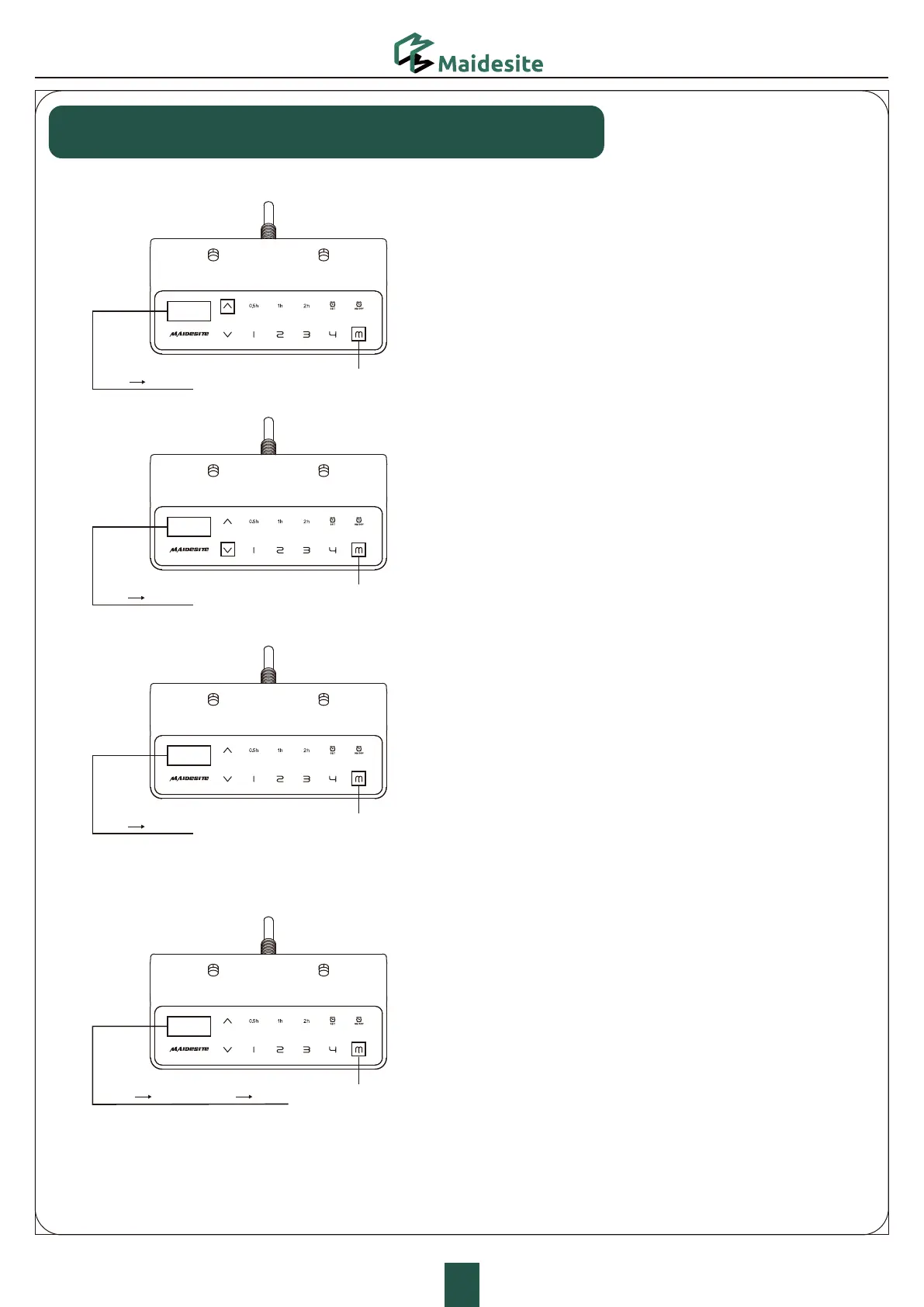
Set the upper limit:
5PVDIUIF.LFZUIFEJTQMBZTIPXT4�
5PVDIUIF61LFZUIFEJTQMBZBTIFT
5PVDIBOEIPMEUIF.LFZGPSTVOUJMUIFEJTQMBZ
TIPXT5IFVQQFSMJNJUJTOPXTUPSFE
Set the lower limit:
5PVDIUIF.LFZUIFEJTQMBZTIPXT4
5PVDIUIF%08/LFZUIFEJTQMBZBTIFT
5PVDIBOEIPMEUIF.LFZGPSTVOUJMUIFEJTQMBZTIPXT
5IFMPXFSMJNJUJTOPXTUPSFE
Delete height limits:
Touch the 'M' key: the display shows 'S-'.
Touch and hold the 'M' key for 2s until the display shows '555'.
Both upper and lower limits are deleted.
Change the RESET height:
Enter the RST mode (see instructions above).
Touch and hold the 'M' key for 5s: the display shows the reset height,
and the screen flashes.
Touch and hold the 'UP' key or 'DOWN' key to change the value.
The display switches back to 'RST' if no operation is detected for 5s,
indicating the change is successful.
Quit the RST mode (see instructions above).
“S-” “999”
“S-” “000”
“S-” “555”
“RST” “RST”
Height setting
Hold for 2s
Hold for 2s
Hold for 2s
Hold for 5s
Touch the 'M' key: the display shows'S-' .
Touch the 'UP' key: the display flashes.
Touch and hold the 'M' key for 2s until the display
shows '999'. The upper limit is now stored.
Touch the 'M' key: the display shows 'S-'.
Touch the 'DOWN' key: the display flashes.
Touch and hold the 'M' key for 2s until the display shows '000'.
The lower limit is now stored.
Change the RESET height:
Delete height limits:
Touch the 'M' key: the display shows 'S-'.
Touch and hold the 'M' key for 2s until the display shows '555'.
Both upper and lower limits are deleted.



 To Next Page