Need help?
Do you have a question about the Promag ER755 and is the answer not in the manual?
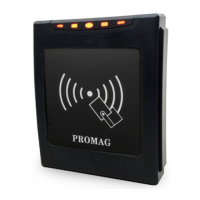
Connect the ER750/ER755 reader to an Ethernet hub via the Ethernet cable.
Connect the DC12V power to the VCC and GND pins on the reader.
Use "EthernetReader Discover" software to locate available Ethernet readers on the network.
Initiate "EthernetReader Discover" and access the "Reader Utility" for the selected device.
Configure the appearance and behavior of the reader's LED and buzzer indicators.
Configure the Event Server IP address and Port Number for data reception.
 General
| Brand | Promag |
|---|---|
| Model | ER755 |
| Category | Card Reader |
| Language | English |


 To Next Page