Home
Promag
Card Reader
ER755
Page 4
Promag ER755 - Page 4
15 pages
Manual
Save Page as PDF
To Next Page
To Next Page
To Previous Page
To Previous Page
Loading...
3
TM97
0166A
Ethernet R
ea
der Quick St
art
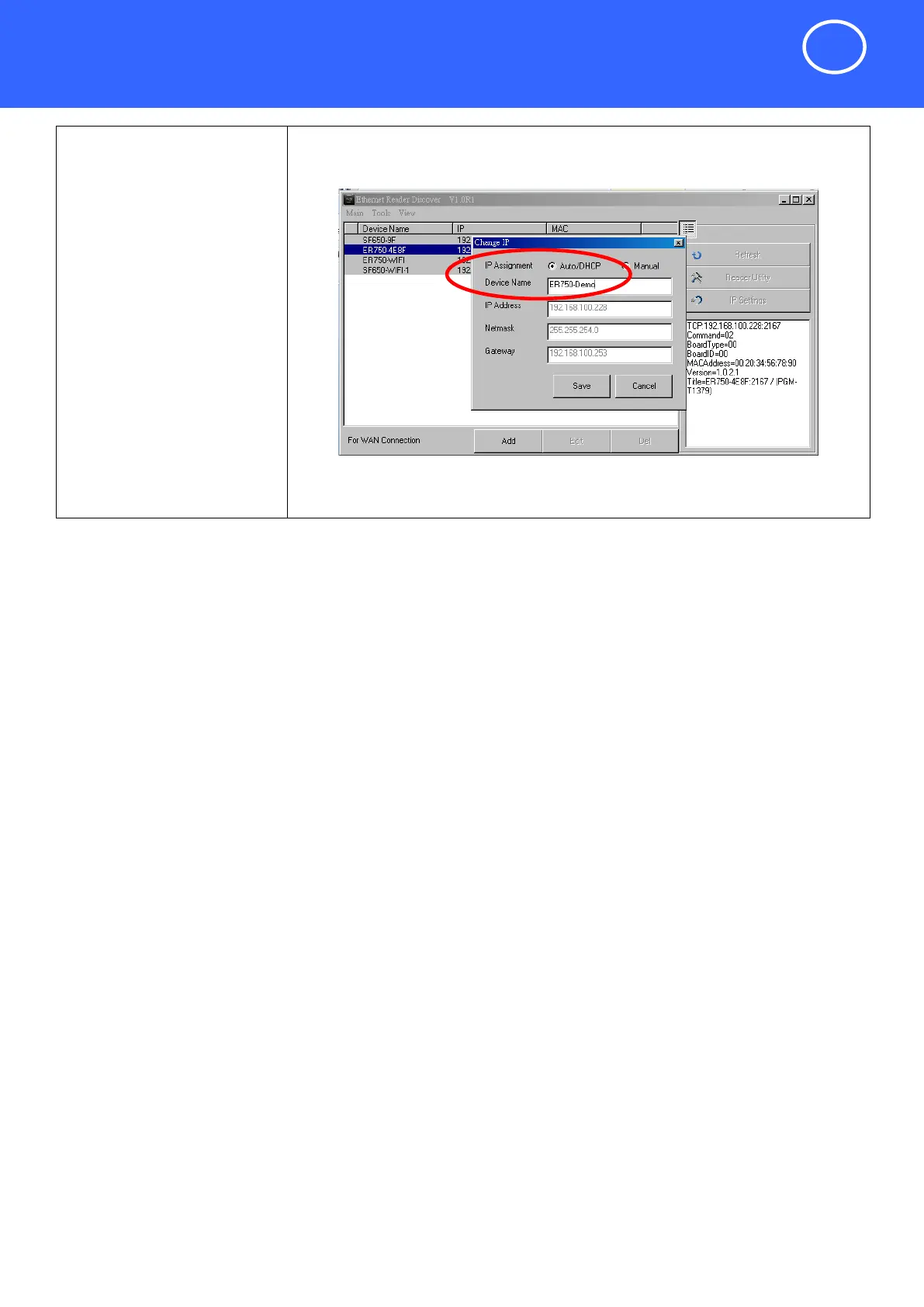
Step 6.
(Optional)
Edit the ER750/E
R755 devi
ce
name f
or easy recognition.
Click "Save" to
update setti
ngs.
NOTICE:
If you have to
manual
ly set
IP
address, you can click "Man
ual"
and
then setup IP address of the
device.
Connect Reader to th
e Ethernet Net
w
ork
3
5
Related product manuals
Promag ER750
15 pages
Promag Mifare DESFire
31 pages
Promag FL20S
7 pages



 To Next Page