Page 5TM951343
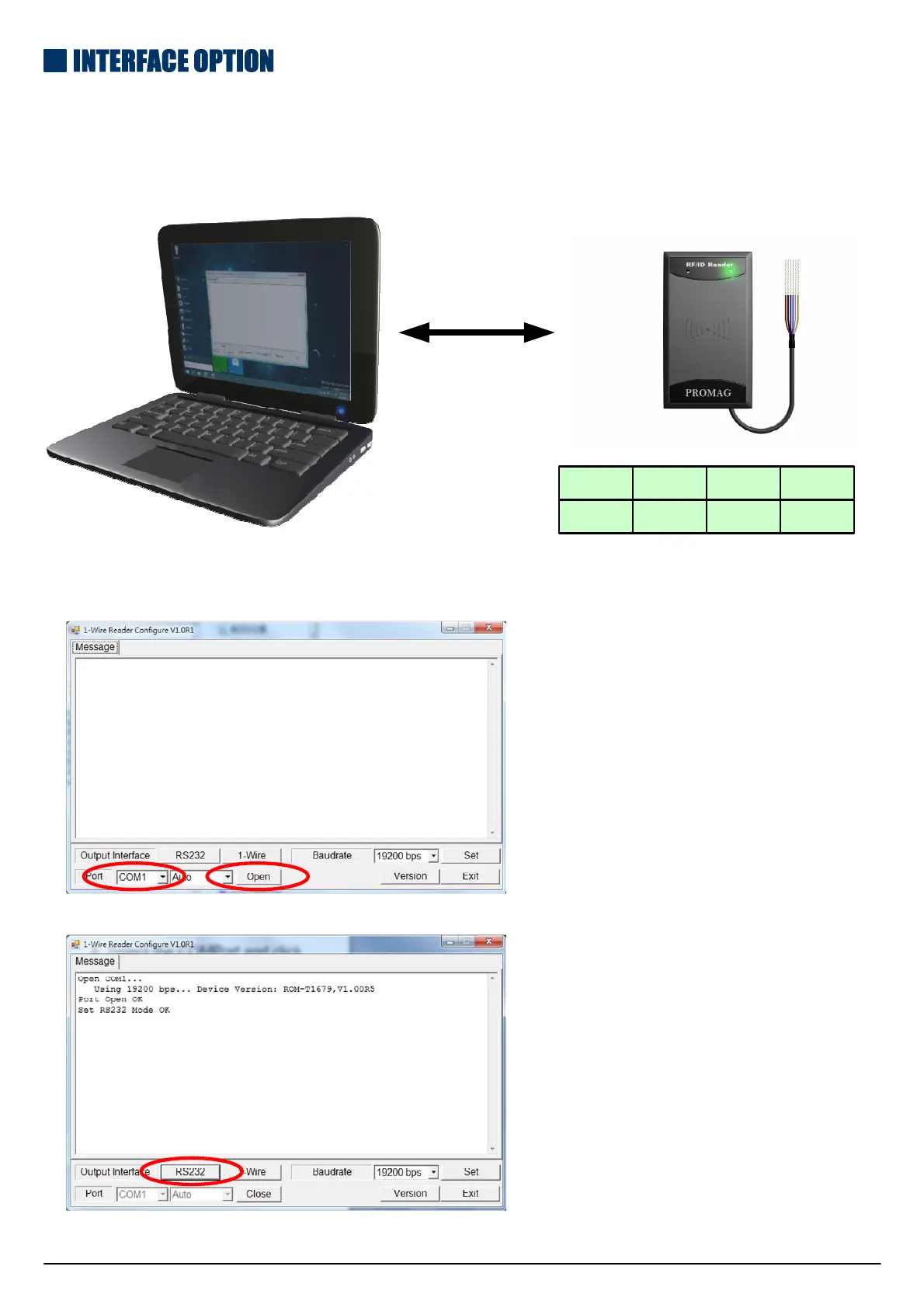
The default interface for FL20S is 1-Wire. For RS232 interface, please
follow its pin assignment as below and use software to set up interface.
1.Connect the FL20S unit with your computer
.
RS232
RED
VDD GND TX RX
BLACK WHITE YELLOW
2.Download 1-Wire Reader Configure software from below link for installation:
http://ftp.gigatms.com.tw/disks/disk5478
A. Select the COMPort and click
the “open” to execute sofeware.
B.Click the “RS232 Output” and
“Exit”.



 To Next Page