Operation Guide
Answer / Hang up
the Call:
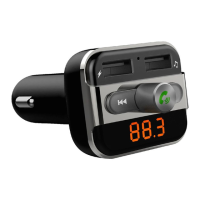
Press “Multi-Function Knob”:
answer the call
Press “Multi-Function Knob”:
hang up the call
Press “Multi-Function Knob”
Button: Play the music
Press “Multi-Function Knob” Button
again: Pause music playback
Rotate the “Multi-Function Knob”
Clockwise: Increase Volume
Rotate the “Multi-Function Knob”
Anti-Clockwise: Decrease Volume
Press “ ” Button: Play the next
song
Press “ ” Button: Play the previous
song
Support by remote controller only
Support by remote controller only
Press button: Play the next
song; Press button: Play the
previous song;
Or press the number of the song
then press to confirm
Press “folder” button to switch
folders
Press “EQ” button to choose your
favorite EQ
Press “Vol+” to increase the
Volume;Press “Vol-” to decrease
the Volume
Press Button
Press” ”button
Play and Pause the
Music:
Adjust the Volume:
Press “Multi-Function Knob”
button, then
Rotate the “Multi-Function Knob”
Clockwise: Increase frequency
Rotate the “Multi-Function Knob”
Anti-Clockwise: Decrease
frequency
Press “CH+” button: Increase
0.1MHz
Press “CH-” button: decrease
0.1MHz
Or press the numbers of the
frequency what you desired,
press “CH+” to confirm.
Set frequency:
Choose music:
Switch folder:
Choose EQ:
On FM transmitter On Remote Controller
English
4
Quick Guide:


 To Next Page
