ACTIVslate User Guide
5
© Promethean Ltd 2001
1.2 Basic Operation of the ACTIVslate
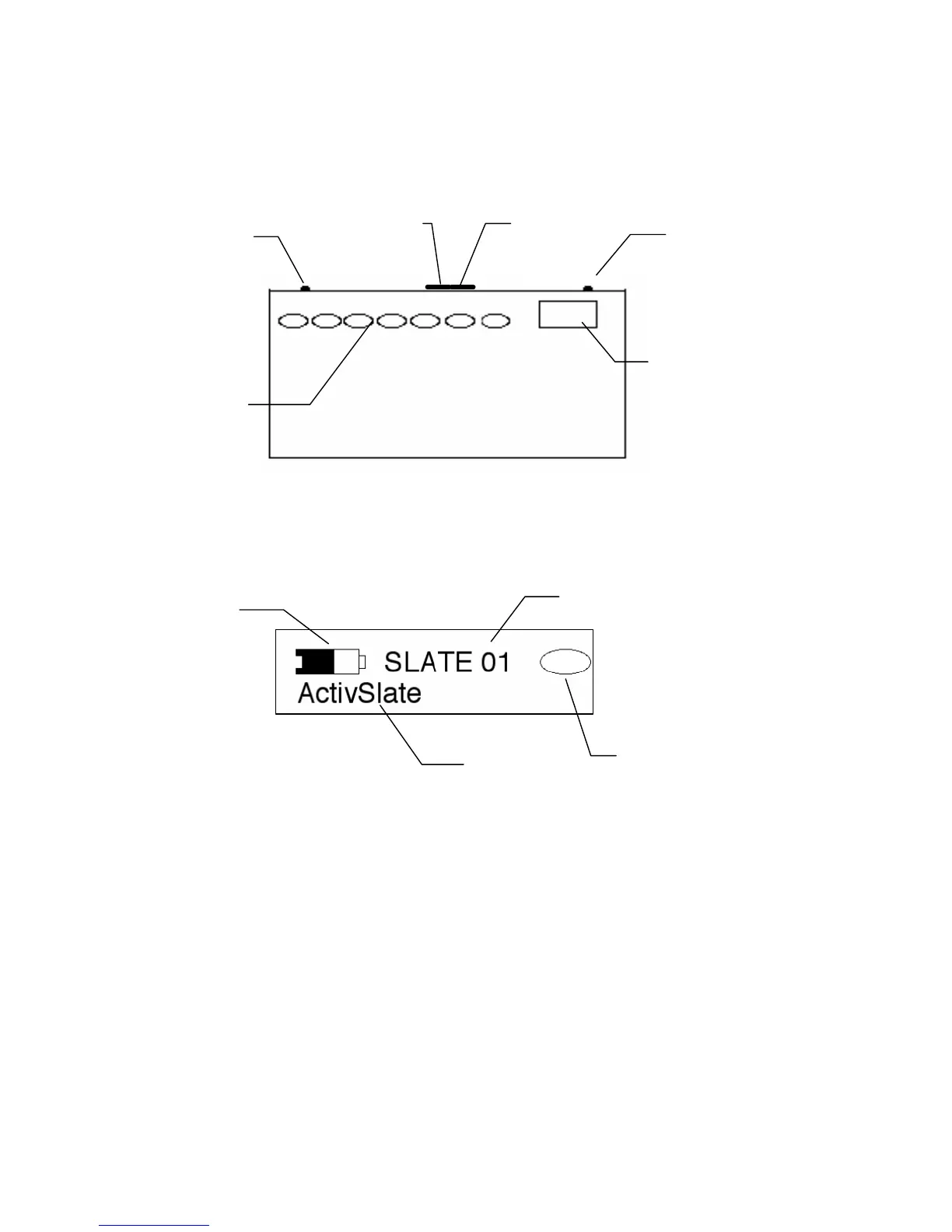
To turn on the ACTIVslate press one of the two buttons located at either side of
the top edge of the Slate case. Wait until you hear the ACTIVslate beep before
releasing. To turn off the ACTIVslate press and hold the same button until the
termination message appears on the LCD Panel.
NB. In order to save battery power, the ACTIVslate will automatically turn itself off
after two minutes of inactivity.
If the ACTIVslate is functioning correctly, the LCD should look like this:
The battery icon indicates the amount of power left. When the battery is empty OR
a recharge message appears on the LCD, it is time to recharge the ACTIVslate.
(See Recharging ACTIVslate).
The ID number is the means by which the ACTIVboard distinguishes one
ACTIVslate from another. If more than one ACTIVslate is being used in a room
they should have different ID’s. (See Changing ID of ACTIVslate).
The ACTIVslate name can be altered to any name comprising no more than 16
characters. It is altered using ACTIVstudio program (see Chapter two)
Battery
Icon
ID



 To Next Page