Battery Operation
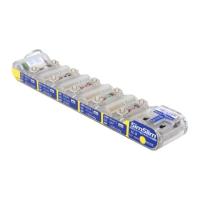
SimCube models SC-3, SC-4 and SC-5 may be operated on battery power using the Battery
Boost Option. The Battery Boost allows the user to switch between AC power and four “AA”
batteries and it easily integrates with the SimCube padded carrying case. The Battery Boost is
designed to operate with alkaline batteries for simplicity and convenience, however, please note
that using NiMH batteries will provide the highest battery performance. Simulating only NIBP, the
SimCube simulator can perform 100-200 NIBP simulation readings on a set of fresh NiMH
batteries. While rechargeable batteries may be used, an external charger is required to recharge
these batteries.
SC-5 models with software version 5.0 or higher include enhancements to help extend battery life
while using the Battery Boost Option. Please note the following battery saving features in your new
SC-5 as compared to any previous versions you may have:
• The display will be slightly dimmer.
• The SimCube will go into "sleep" mode when the NIBP functions are not in use, the display will
go blank and the green Mode LED will flash.
• When the batteries are depleted, the Battery Level indicator on the Battery Boost will illuminate
a red LED and the SimCube may re-boot to further indicate the need to replace the batteries.
1. CRITICAL OPERATION NOTES. PLEASE READ FIRST!
• You may use NiMH rechargeable batteries, but the Battery Boost does not charge them.
Rechargeable batteries must be charged outside of the SimCube system.
• When the Battery Level indicator lamp is red your simulator may continue to operate, but
values should not be trusted. Always confirm the Battery Level LED is green when doing a
simulation on battery power.
• When your SimCube simulator is not in use, switch the Battery Boost to the “Batt OFF”
position to avoid draining your batteries.
Revision O 07/18/2017
www.pronktech.com 800-541-9802 Page 10
PRONK TECHNOLOGIES


 To Next Page
 Loading...