Preparation for using your new TV
Se|ecting a location for the TV
1. Place the TV on an open stand in a location where light does not directly hit the screen.
2. Place the TV far enough from the walls to allow proper ventilation. Inadequate ventilation may cause
overheating, which may damage the TV.
NOTE: Please contact a local dealer for wall mounting.
Connection to other devices
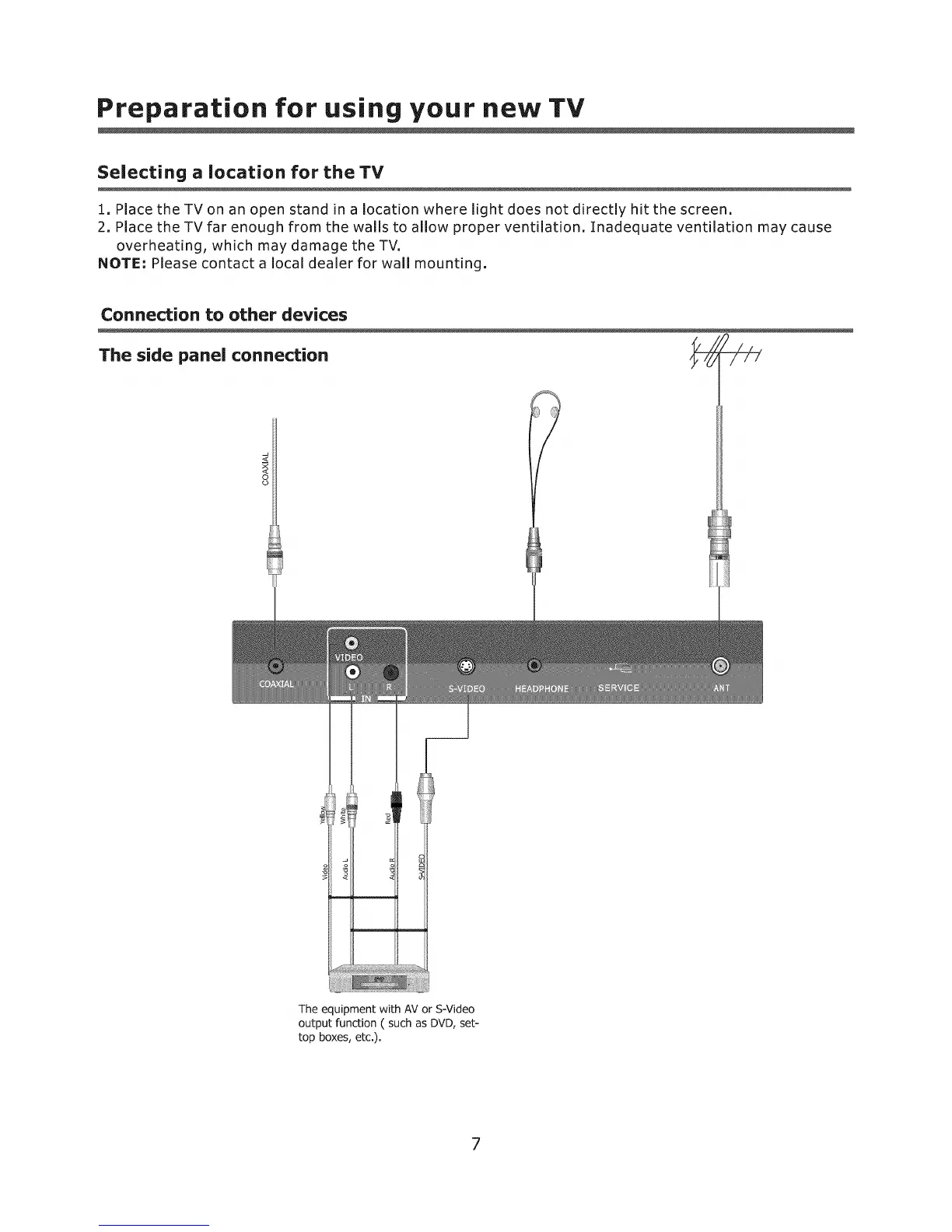
The side panel connection
3
The equipment with AV or S=Video
output function ( such as DVD, set=
top boxes, etc.).
7












 To Next Page