6
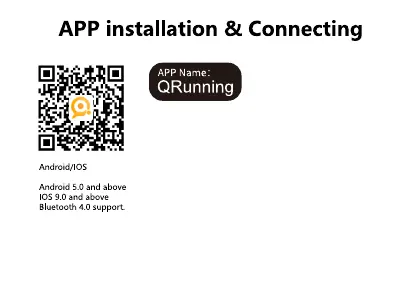
Scan this QR code to download and install "Qrunning" APP
in your mobile phone.
First time use, scan this QR code from left or from smart watch
'APP' to download 'Qrunning' app.
Turn on the Bluetooth from your phone, then open Qrunning
app from your moblie, tap "Device",find "Connect device",
it will appear 'PBTW187' here, tap to connect it.
It will pop up a dialog' Bluetooth Pairing Request' from your
mobile phone, tap 'Pair' to connect it, it will sync the time and
date after connected to your Bluetooth devices.
There is also a dialog about "Prompt", tap "ok" and then going
to your mobile phone Bluetooth setting to find out the
PBTW187_Audio-XXXX, and tap it to connect it to make
Bluetooth phone calls and listen musics.


 To Next Page