Filter
Repeat :Off
Mode : Normal
001
002
003
004
005
006
007
008
JOJO01/001.mp3
OSD
and up
Loading a DVD or VCD Disc:
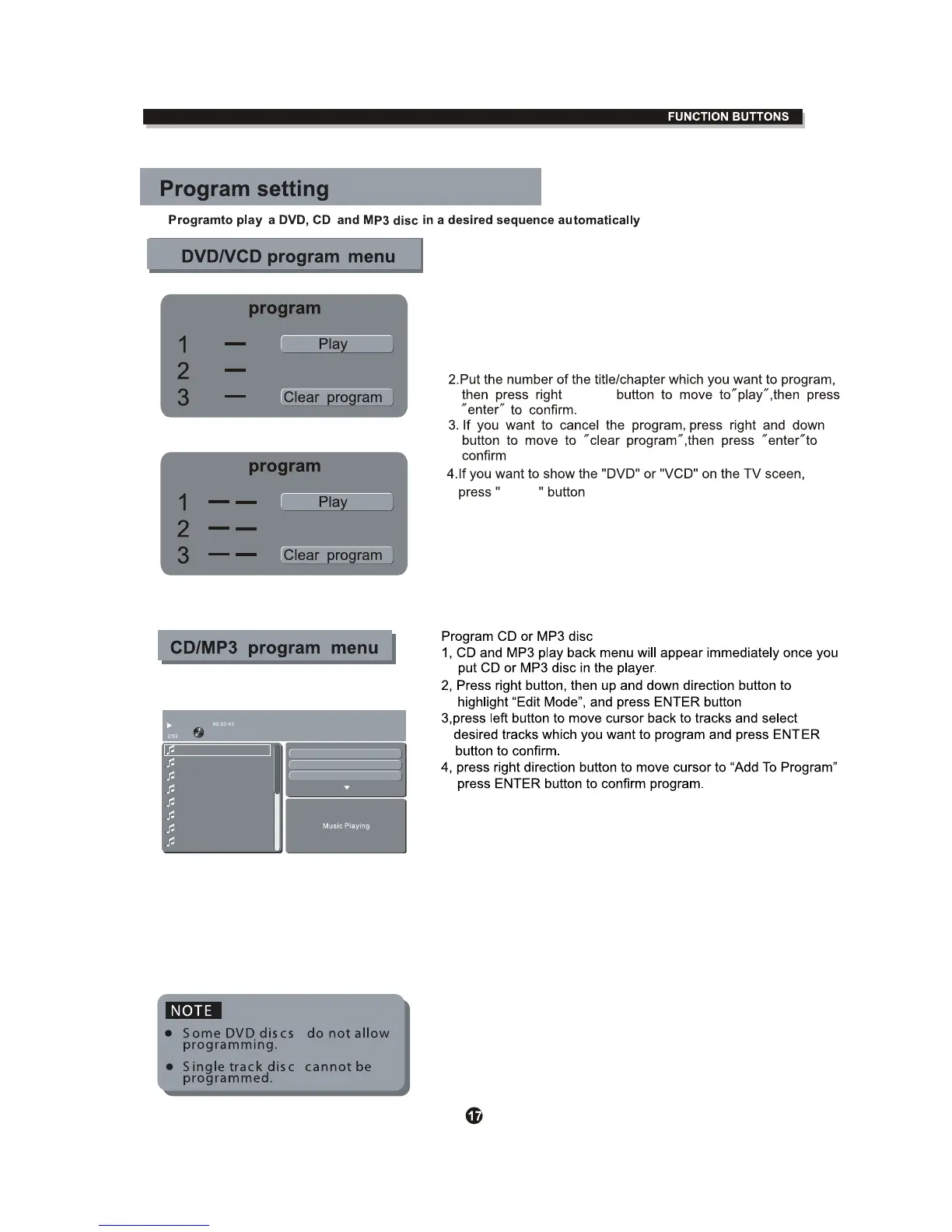
1. Press the PROG button, the program menu will appear ,
use the left key to move the cursor to the left side ,then
5, High light program view and press ENTER , the program tracks
will appear ,then press PLAY on the remote control to activate t
he MP3 or CD program.
6, If you want to clear program, press Stop button twice to return
player to stop mode, use LEFT button , then use UP/DOWN
button to select the tracks you want to clear , then press ENTER ,
then move RIGHT cursor to high light " CLEAR PROGRAM",
Press Enter button to clear program.
( NOTE: High Light the Browser view and press ENTER to return
back to Disc Menu )



 To Next Page