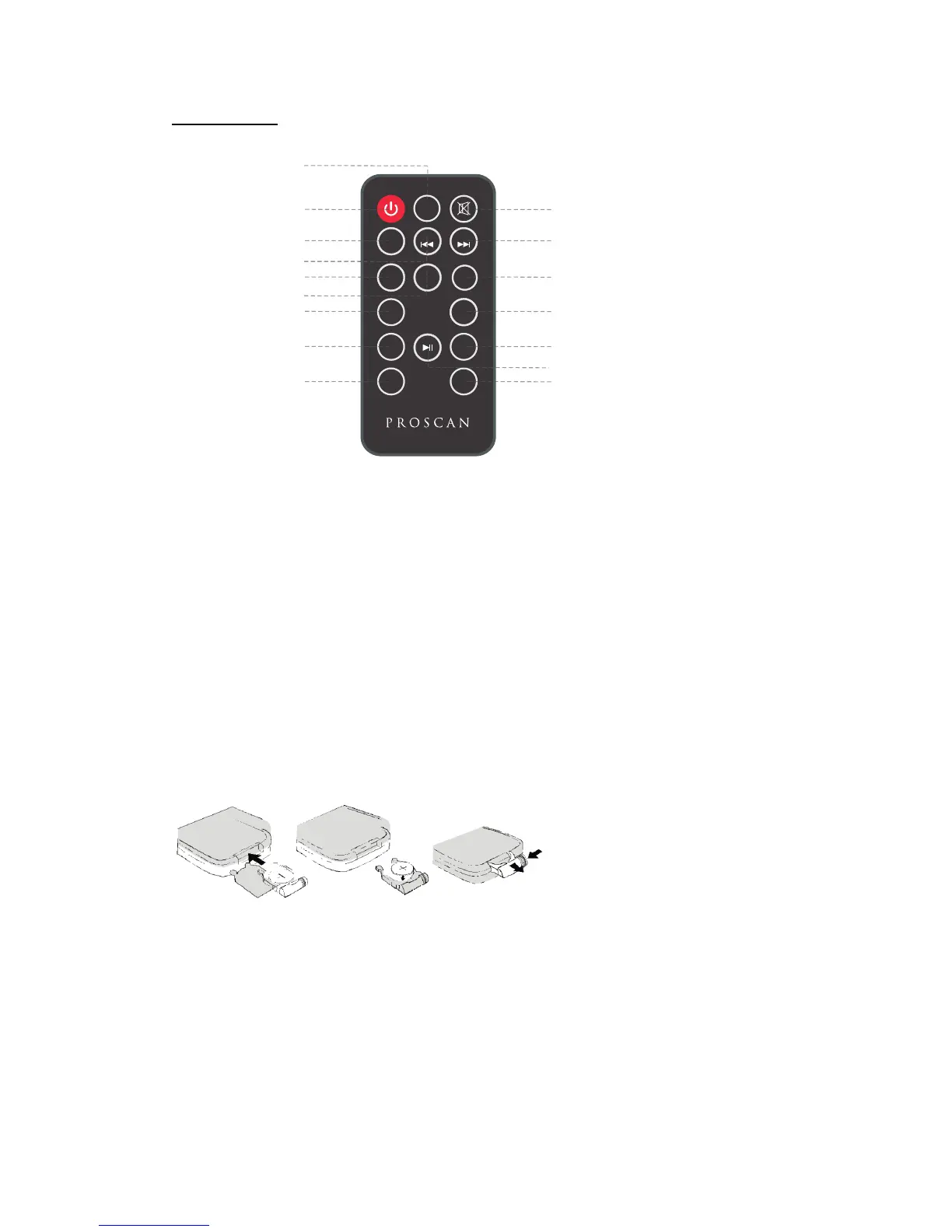
Remote Control
4. TUNE-Button 9. TREBLE- Button 15. Play/Pause Button
BATTERY INSTALLATION
- Before installation
Remove and discard the insulation tab.
-Replace battery for the remote control
1. Push and slide out the battery holder as Figure 1 b elow.
2. Replace the battery with a new CR2025 button cell with the polarity (+) side upward.
3. Slide into the battery holder.
Battery precautions
• Never recharge the batteries, apply heat to them or take them apart.
• Battery shall not be exposed to excessive heat such as sunshine, ire or the like.
• Do not throw the batteries in ire!
• Attention should be drawn to the environmental aspects of battery disposal.
• If the remote control is not going to be used for a long time, remove the b attery
to avoid damage caused by battery leakage corrosion.
5
2
3
5
7
VOL+
FM SCAN
TUN-
M+
EQ
VOL-
BASS- BASS+
TREBLE-
TREBLE+
TUN+
8
9
4
6
1
10
11
12
13
14
16
15
CLOCK
MO/ST
MODE
Button on Button6. EQ Butt1.MODE
2. Standby Button 7. VOL-(Vo lume-) Button 13. VOL+ (Volume+) Button
5. M+(Memory+) Button 10. Mute Button 16. TREBLE+ Button
11. T UNE+ Button
12. CLOCK/MO/ST
3. FM SCAN Button 8. BASS- Button 14. BASS+ Button


 To Next Page