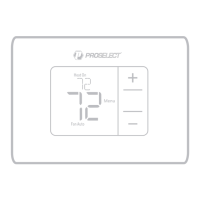
Package Includes:
• Base Plate Mounting System
• Screws and Anchors
• 2 AA Batteries
• Thermostat Literature
Programmable Thermostat
PSTSP11AWH, PSTSP21AWH
User Guide
For assistance with this product, please contact PROSELECT® via
owat@ferguson.com or 1-800-221-3379.
Customer assistance
Thermostat controls
• System status information
Cool On
Heat On
Em Heat On
• Actual time
• Schedule
information
Following time
based schedule
• Mode
Select system mode
Heat/Off/Cool/Auto/
EM Heat (emergency
heat)
• Menu
Press to display
options. Start
here to set a
program schedule
• Indoor temperature
setpoint
Press + or – to change
temperature setting
• Actual indoor
temperature
• Temperature/
Navigation buttons
Press to increase or decrease
temperature setpoint and to
navigate menus and menu
options
• Fan
Select Fan mode Auto/On
The screen will wake up by pressing any of the five buttons. If powered by the C wire, the screen stays lit for 45
seconds after you complete changes. If powered by battery only, the screen stays lit for 8 seconds. Depending on
how your thermostat was installed, the screen light may always be on.
Read before installing
M39337

 Need help?
 General

 To Next Page