6
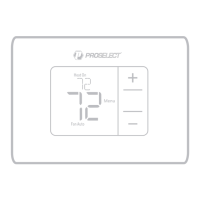
Home screen.
2 Press Menu, and then press
until
display shows ALRT.
3 Press Select to display which alert(s) are
present.
4 The message REPL (REPLACE AIR
FILTER) appears.
5 The reminder can be snoozed or
cleared. The air filter should be replaced
when clearing the reminder.
6 To snooze, press Select. The word SNZE
(SNOOZE) appears.
7 Press Select again to snooze the
reminder for 7 days.
8 To clear, press Select, and then press
to go to
CLER (Clear).
9 Press Select to clear the air filter reminder.
Snoozing and Clearing Alerts or Reminders*
1 Press Menu, and then press until
display shows ALRT.
2 Press Select to display which alert(s)
are present.
3 The word SNZE (SNOOZE) appears.
4 Press Select again to snooze the
reminder for 7 days.
5 To clear the alert, press Select, and then
press
to go to CLER (Clear).
6 Press Select to clear the reminder.
* Some alerts cannot be snoozed or cleared. Please call your
local heating and cooling professional if this occurs. The
heating and cooling system may require service.
Low Battery Warning
1 The batteries need to be replaced when
BATT, the alert icon
, and the battery
icon are displayed on the Home screen.
2 When the battery power is very low,
the thermostat’s backlight is disabled
to save battery power.
3 When battery power is critically low,
only BATT, the alert icon
, and the
battery icon are displayed.
Air Filter Reminder
1 The alert icon appears on the



 To Next Page