16
Bluetooth Section Operation
1. To Select Bluetooth mode
At Home Menu, press TUNE button to move the highlight to Bluetooth source, then simply
press ENTER button to go into the Bluetooth mode.
Note: highlight movement indicated by the icon background change.
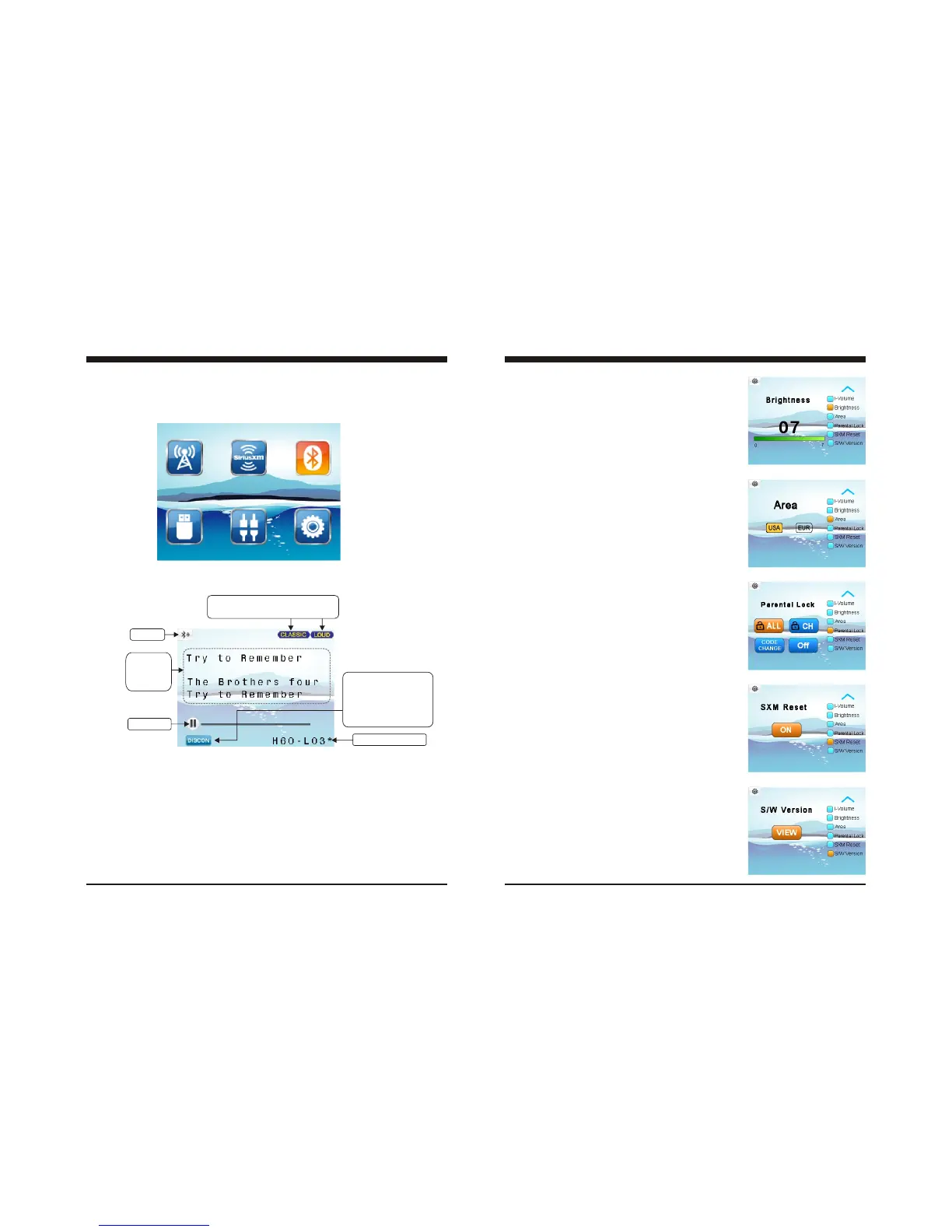
2. Bluetooth Screen Description
3. Pair BT Device
If there is no BT device paired, go to settings on the BT device and turn the Bluetooth
option ON. Pick “PRV” option on your Bluetooth enabled device.
(if you are prompted for a password, the code entered will be “1234”.)
If there was previously a BT device paired, simply press MENU button to highlight
CONN and press ENTER to establish the BT connection.
Only displays when EQ / LOUD ON
was selected in the Settings.
ID3 tag:
Song name
Artist
Album
Play/Pause
CONN: To establish Bluetooth connection.
DISCON: To disconnect the BT Device.
BT icon
If already has BT device
connected, here display
DISCON.
If no BT device connect,
here display CONN.
Paired device name.
9
3-9. Brightness Adjustment
In Settings screen, press TUNE Up or Down button to
select Brightness, then press VOL Up or Down button
to adjust Brightness level.
3-10. Area Selection
In Settings screen, press TUNE Up or Down button to
select Area, then press VOL Up or Down button to
select USA or EUR.
3-11. SiriusXM Parental Lock - Change Code
In Settings screen, press TUNE Up or Down button to
select Parental Lock. Then press VOL Up or Down
button to select Parental Lock sub-features.
Please refer to SiriusXM Section Operation for details.
3-12. SXM Reset
At Setting screen, press TUNE Up or Down button to
select SXM Reset, then ENTER button to reset the
SXM Tuner.
3-13. Software Version View, Software Reset
At Setting screen, press TUNE Up or Down button to
select S/W Version, then press MENU button to active
highlight at VIEW and press ENTER button to view
the Software Version.
Software Reset:
In Software Version display status, press TUNE UP,
TUNE DN, and TUNE UP in sequence, then press
and hold TUNE DN for 7s to reset the unit.
Note: It will be necessary to re-enter the radio preset
memories and other personal settings as these
will have been erased when the software was
reset. After resetting the unit, ensure all
functions are operating correctly.
General Settings



 To Next Page
 Loading...