对折 基 准线
对折 基 准线
17
4. Play/Pause Play
Once the BT device being paired is successful, music will begin to play.
Note: For some Bluetooth enabled phones, you might activate play from your phone first.
It depends on the phone itself.
While BT Music playing,
Note: With the Bluetooth connection disconnected, once you power on the unit next time,
it will establish the Bluetooth connection automatically.
press the PAUSE button to pause the playback, and press it
again to resume playback.
5. Track Up/Down
While BT Music is playing, press TUNE Up or Down button to select the next or
previous track.
6. Disconnect
In BT Music playing mode, in order to disconnect the BT device, press MENU button
to activate bottom navigation, it will highlight at DISCONN, press ENTER button to
disconnect the BT connection.
Note: When your BT device battery is at low charge, the Bluetooth connection may
occasionally be lost. To maintain good connectivity ensure that your BT device battery
is adequately charged.
7. Connect
With BT device paired OK, but disconnected, if you want to reestablish the BT connection,
press MENU button to activate bottom navigation, it will highlight at CONNE. Press
ENTER button to connect the BT device.
Note: refers to PLAY; refers to PAUSE.
Bluetooth Section Operation
8
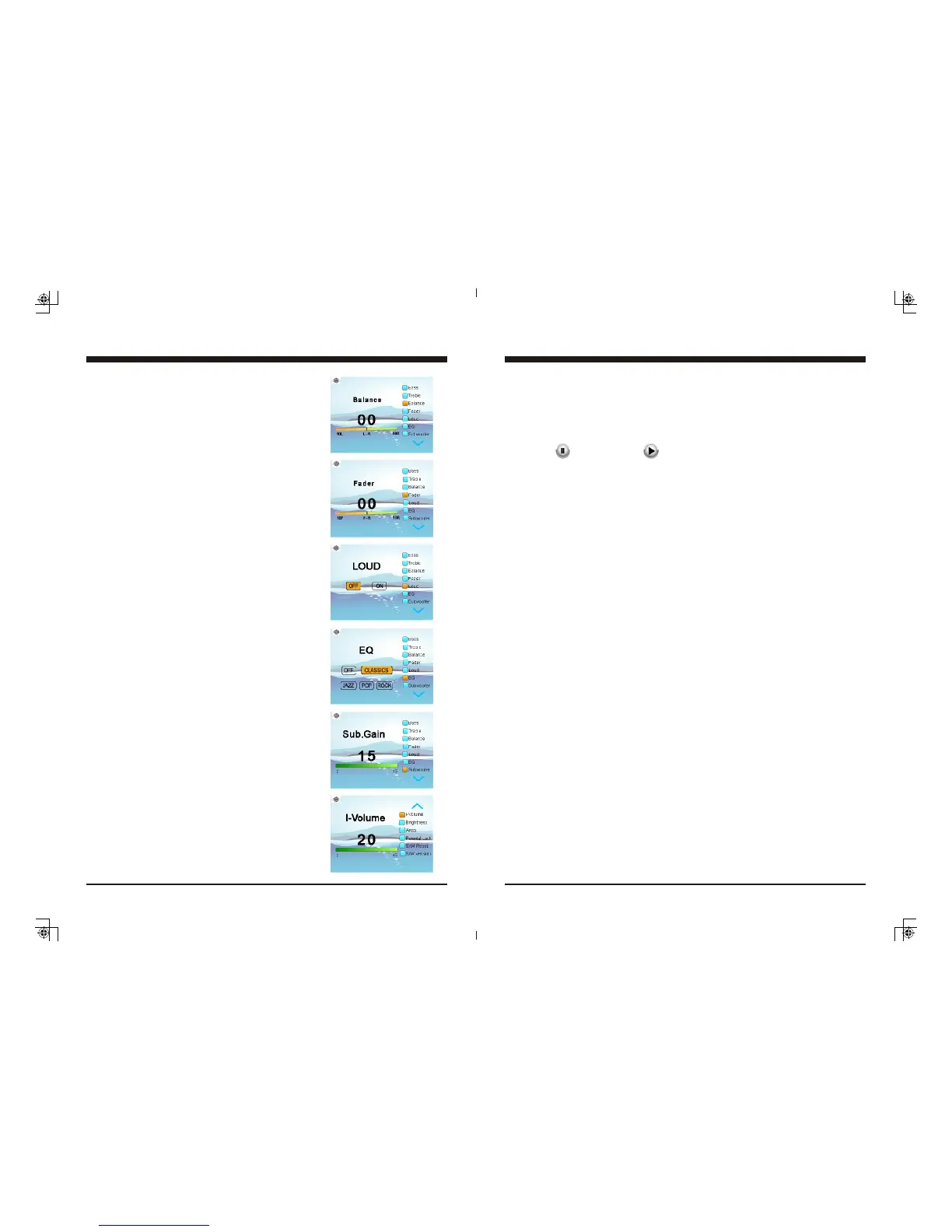
3-3. Balance Control
In Settings screen, press TUNE Up or Down button
to select Balance, then press VOL Up or Down button
to adjust Balance level.
3-4. Fader Control
In Settings screen, press TUNE Up or Down button
to select Fader, then press VOL Up or Down button
to adjust Fader level.
3-5. Loud Control
In Settings screen, press TUNE Up or Down button to
select Loud, then press VOL Up or Down button to
select ON or OFF.
3-6. EQ Selection
In Settings screen, press TUNE Up or Down button to
select EQ, then press VOL Up or Down button to select
Off, Classics, Jazz, Pop or Rock.
3-7. Subwoofer Gain Control
At Setting screen, press TUNE Up or Down button to
select Subwoffer, then press VOL Up or Down button
o adjust Subwoofer Gain level.
3-8. I-Volume Control
At Setting screen, press TUNE Up or Down button to
select I-Volume, then press VOL Up or Down button
to adjust the Initial Volume Level. This feature controls
the maximum volume level desired when powered on.
General Settings


 To Next Page
 Loading...