注:切边后的 成 品 尺 寸 一 定 为 145x210mm
对折 基 准线
对折 基 准线
18
USB Section Operation
1. To Select USB mode
At Home Menu, press TUNE button to move the highlight to USB source, then press
ENTER button to go into the USB mode.
Note: This input is dsigned to read and play USB drives (mp3 and wam files), not media/
phones.
You can charge most phones through the USB input. Music, however, needs to be
played back by using eigher BT or Aux input.
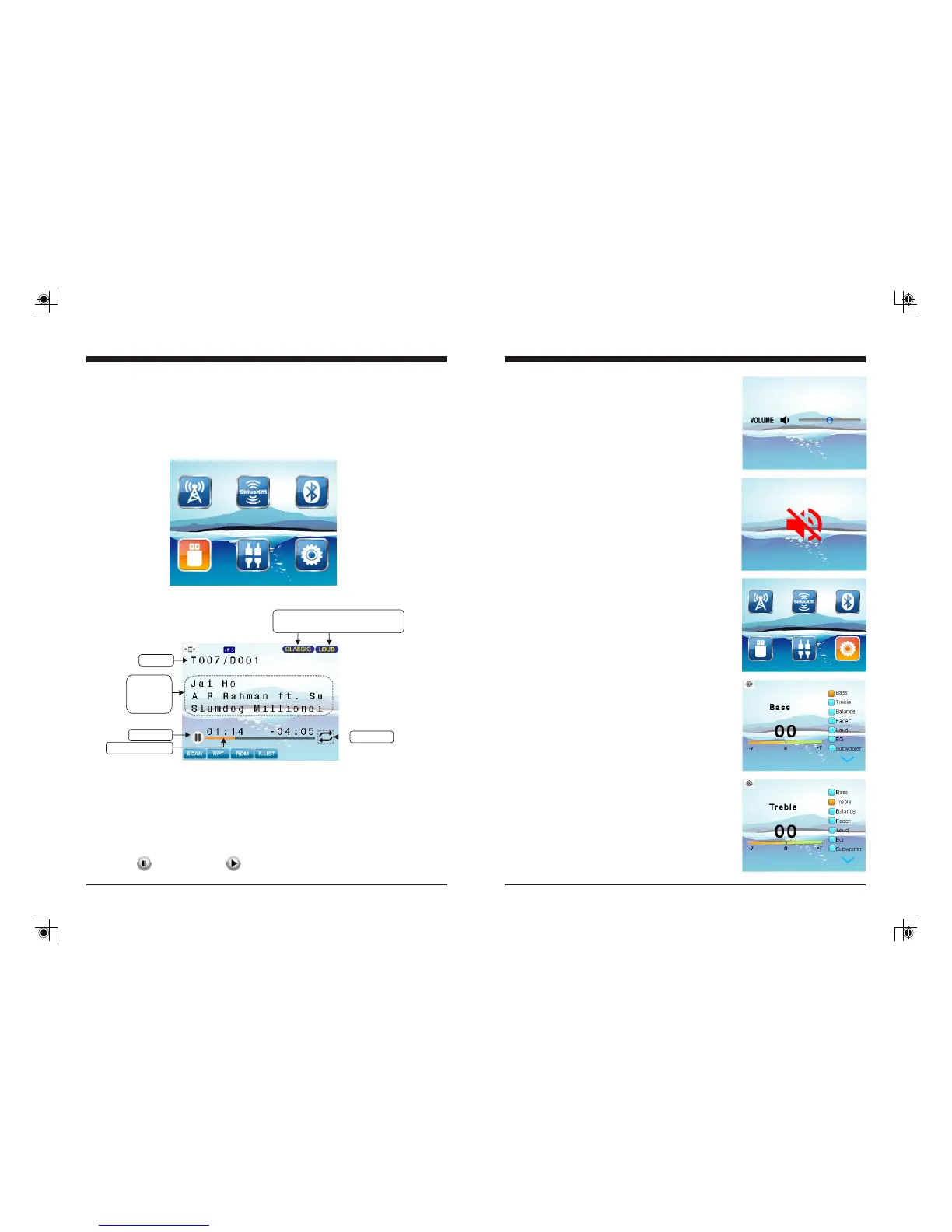
2. USB Screen Description
3. Play/Pause Play
While USB is playing, press the PAUSE button to pause the playback, and press
again to resume playback.
Only displays when EQ / LOUD ON
was selected in the Settings.
ID3 tag:
Song name
Artist
Album
Play/Pause
SCAN: Intro Scan play (Track / Directory Scan play)
RPT: Repeat play (Track / Directory Repeat play)
F.List: To display the Directory / File List
RDM: Random play (Track / Directory Random play)
Track No.
Track elapse time
Play mode
Note: refers to PLAY; refers to PAUSE.
General Operations
7
1. VOLUME Control
2. MUTE Control
In Radio, SiriusXM, or AUX mode, press
MUTE button to mute sound output; press
again to resume sound output.
In any mode, press VOL UP/DN button to
adjust volume level.
Press and hold VOL button to adjust volume
level rapidly.
3. General Settings
Press and hold MENU button to go back to
Home Menu, then press TUNE UP/DN button
to move highlight to Settings source. Then
press ENTER button to go into the Settings
mode.
3-1. Bass Control
In Settings screen, press TUNE Up or Down button
to select Bass, then press VOL Up or Down button
to adjust Bass level.
3-2. Treble Control
In Settings screen, press TUNE Up or Down button
to select Treble, then press VOL Up or Down button
to adjust Treble level.



 To Next Page
 Loading...