19
4. Track Up/Down
While USB playing, simply press TUNE Up or Down button to select the next or previous
track. To fast forward or rewind, press and hold TUNE button.
5. Scan Play
While USB playing, simply press MENU button to activate navigation, it will highlight
at SCAN, now repeat press MENU button to toggle select Track Scan, Directory Scan, or
SCAN OFF. (Note: The play mode icon would change simultaneously.)
6. Repeat play
While USB playing, simply press MENU button to activate navigation, then press TUNE
Down button to move highlight to RPT, repeat press MENU button to toggle select Track
Repeat, Directory Repeat, or RPT OFF. (Note: The play mode icon would change
simultaneously.)
7. Random play
While USB playing, simply press MENU button to activate navigation, then press TUNE
Down button to move highlight to RDM, repeat press MENU button to toggle select
Track Random, Directory Random, or RDM OFF. (Note: The play mode icon would
change simultaneously.)
8. F.LIST (Folder / File Search)
While USB playing, simply press MENU button to
activate navigation, then press TUNE Down button
to move highlight to F.LIST, press ENTER button
to go inside the F.List.
In F.List, press TUNE Up or Down button to choose
desired Folder, press ENTER to display sub-directory
or files inside, press TUNE Up or Down button to
choose desired file and press ENTER button to play it.
Refers toplay current track repeatedly.
Refers to play the tracks in current Directory repeatedly.
Refers to play all the tracks in normal sequence.
Refers to play all the tracks in a random sequence.
Refers to play the tracks in current Directory in a random sequence.
Refers to play all the tracks in normal sequence.
USB Section Operation
Refers to play the first 10s of all the tracks in the USB device.
Refers to play the first 10s of all the tracks in current Directory.
Refers to play all the tracks in normal sequence.
6
Sign Up Display & Home Menu
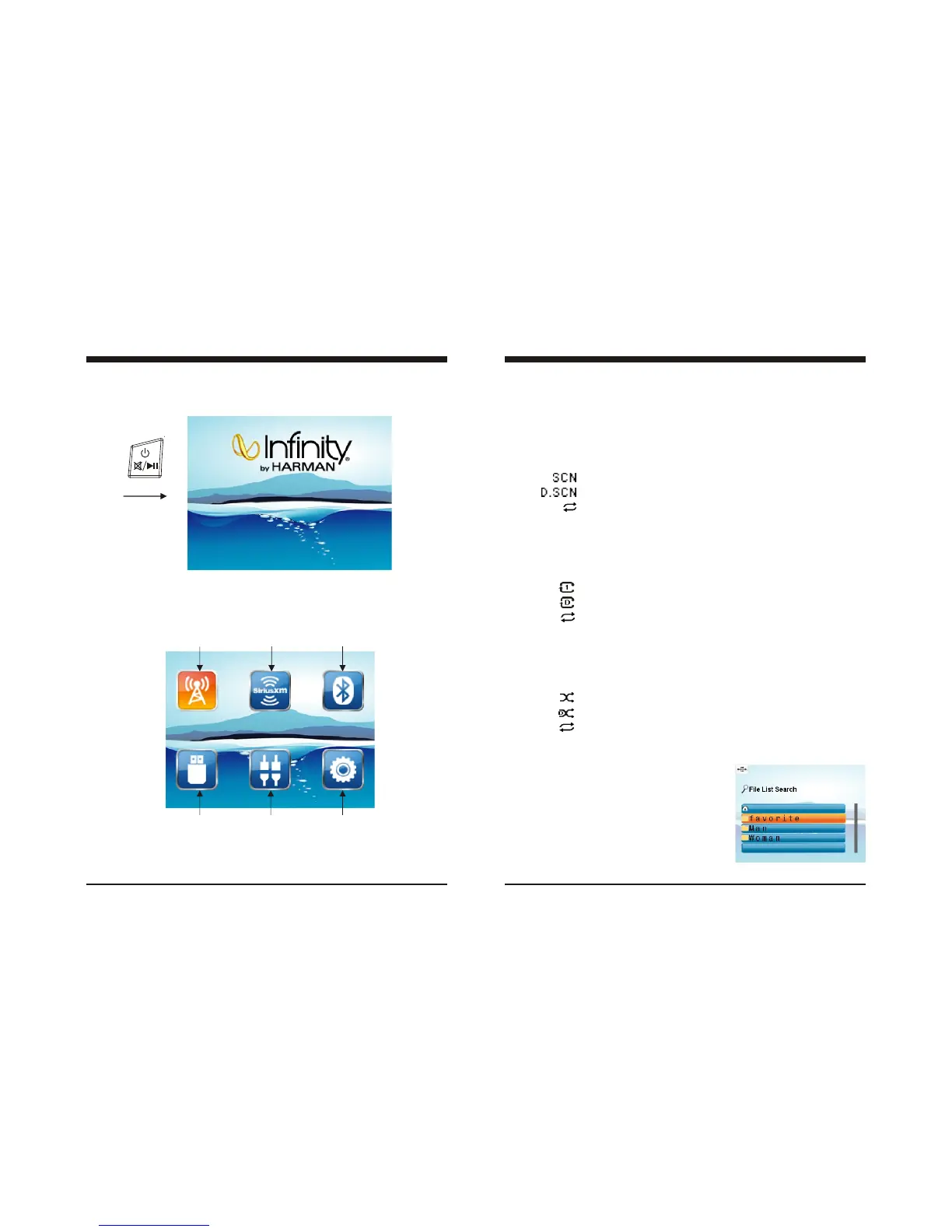
2. Home Menu (Source display)
At Home Menu, press the TUNE Up/Down button to move to desired source and press
ENTER button to confirm.
Radio
SiriusXM
BT Music
USB
AUX IN
Settings
1. Sign Up Display
Once the unit powered on, the introductory home screen appears for 4 seconds, then
switches to the last played mode before power off occurred.
Push
Note: icon background changes to two toned burnt orange
when selected. For example, Radio mode is the selected
mode in above picture.



 To Next Page
 Loading...