21
AUX Section Operation
1. To Select USB mode
At Home Menu, press TUNE Up or Down to move the highlight to AUX source, then
press ENTER button to go into the AUX mode.
Note: highlight movement indicated by the icon background change.
The use of auxiliary mode allows you to play
the portable music device through the
headphone jack.
Note: An additional accessory/adaptor must be
purchased in order for this to happen.
Prospec's part, SEAMINI2 or
SEAUSBMINI36 fulfills this option.
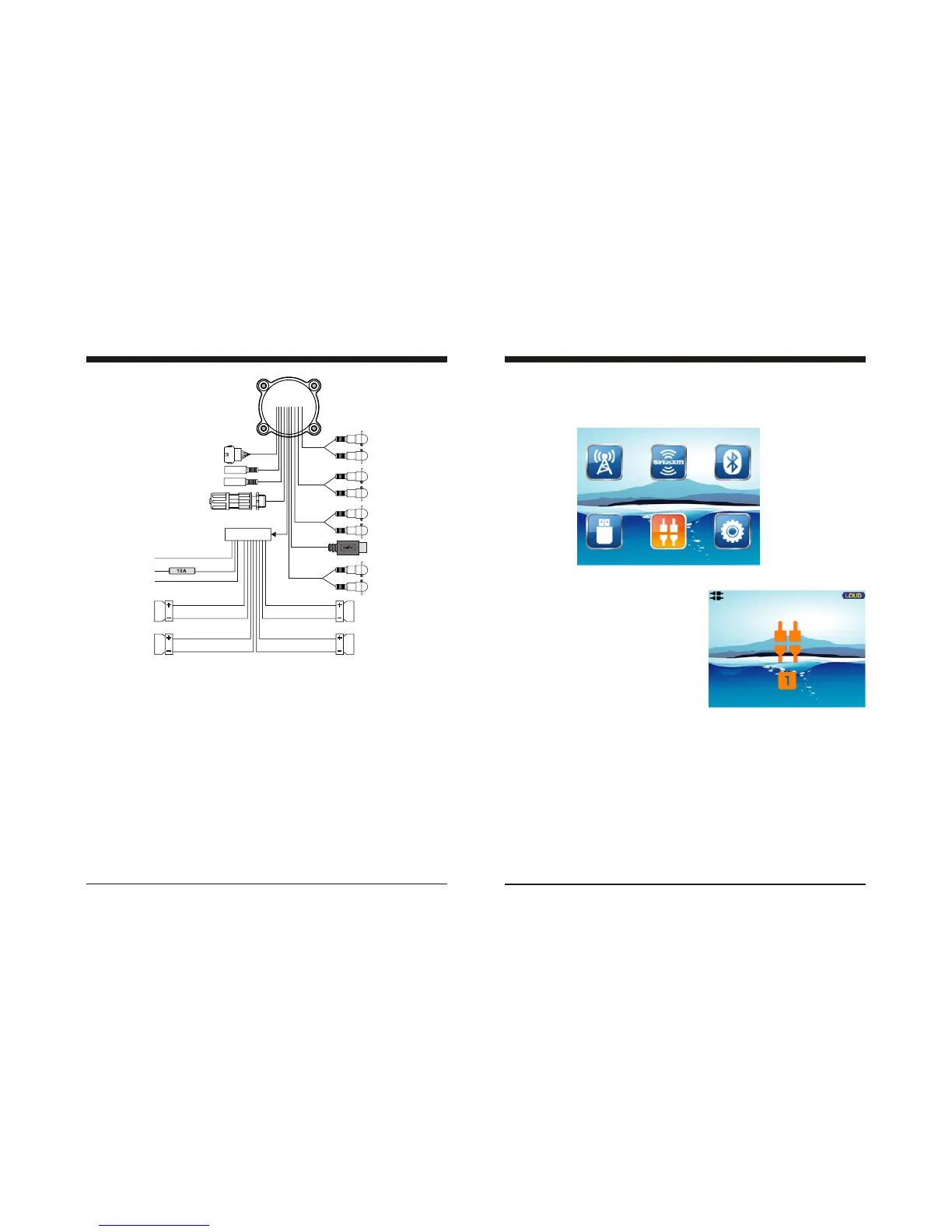
Wire Configuration
12P CONNECTOR
(REM)
( ACC )
( GROUND )
FUSE
BLUE
RED
BLACK
GRAY
GRAY/BLACK
VIOLET
VIOLET/BLACK
(FRONT RIGHT )
( REAR RIGHT )
GREEN
GREEN/BLACK
WHITE
WHITE/BLACK
( FRONT LEFT )
( REAR LEFT )
(USB)
RED
WHITE
(AUX)
(ANT JACK)
RED
WHITE
(REAR LINE OUT)
(SiriusXM)
RED
WHITE
(SUBWOOFER)
6P REMOTE
CONTROL
RED
WHITE
(FRONT LINE OUT)
(CAN BUS)
NOTE:
1. When wiring, the red lead is recommended to be wired to ACC/ignition power lead.
2. Make sure that the black wire on the wiring harness is connected to a good ground point
on the boat. If the chassis f the boat is used as a ground point, make sure that the surface
is scraped clean of paint before attaching the wire to it. It is recommended to connect the
black ground wire directly to negative terminal (-) of the boat battery.
3. Before wiring your system, disconnect your boat battery’s positive (+) cable. This helps
prevent damage in case of a short.
4



 To Next Page
 Loading...