Need help?
Do you have a question about the Protek 3005B and is the answer not in the manual?
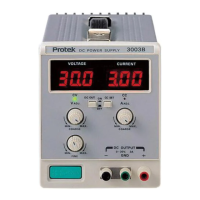
Details the various controls and indicators on the power supply units.
Procedure for verifying the power supply functions correctly after turning it on.
Steps to set up and operate the power supply in constant voltage mode.
Procedure for setting up and operating the power supply in constant current mode.
Guidance on how to connect external loads to the power supply.
Instructions for using the tracking operation mode on specific models.
Instructions for replacing blown fuses in the power supply unit.
Procedure for converting the power supply to operate on different line voltages.
Procedure for calibrating the output voltage to its rated value.
Procedure for calibrating the output current to its rated value.
 General
| Output Voltage | 0-30V |
|---|---|
| Output Current | 0-5A |
| Power Rating | 150W |
| Ripple & Noise (CV) | ≤ 1mVrms |
| Operating Temperature | 0°C to 40°C |
| Ripple & Noise (CC) | ≤3mArms |
| Display Type | LED |


 To Next Page