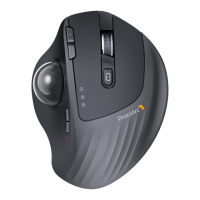
EM01
Frequently Asked Questions
The mouse suppos Linux?
Yes, this mouse suppos Linux system.
10
Can the keyboard and track ball mouse be synced to the
same dongle?
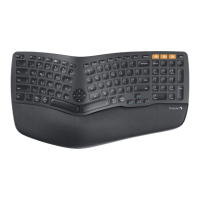
Yes, the EK01 keyboard and the EM01 mouse can be synced to the
same dongle.
11
No response when plugged in USB, unable to switch
modes.
In this case, could you please t these steps to re-pair the mouse?
1. Turn o and turn on the mouse.
2. Press the middle scroll button and the left and right click button
at the same time,wait for 5 seconds to check if the 2.4G indicator
light will ashes or not.
3. If the indicator light ashes, please turn o the mouse and turn
on it again to check if it can work properly now.
12
The click is so sensitive that just resting my nger on top
of the button is resulting in unintended clicks.
As you mentioned the left click is so sensitive, We preliminarily judge
that there may be foreign objects or dust that inteeres with the
sensitivity of this key.
Please operate the following 2 steps to t to solve the problem
1. Press the left click button hard 3-4 times;
2. Use a little eo to lift the left click button up 3-4 times.
13
04
Can I use this mouse with a Mac that DOES NOT have a USB po?
10
the mouse suppos Linux?
Yes, this mouse suppos Linux system.
04
Can I use this mouse with a Mac that DOES NOT have a USB po?
You can connect this mouse with your Mac by Bluetooth connection way.
09
How to adjust DPI?
About our ProtoArc EM01 mouse, please press the DPI button to change
the DPI(1000/1600/2400).
When you adjust to 1000, the DPI indicator ashes once, when it is adjusted to
1600, the DPI indicator ashes twice, and when it is adjusted to 2400, the DPI
indicator ashes three times.


 To Next Page