MECH K301
MECH K301
3
4
5
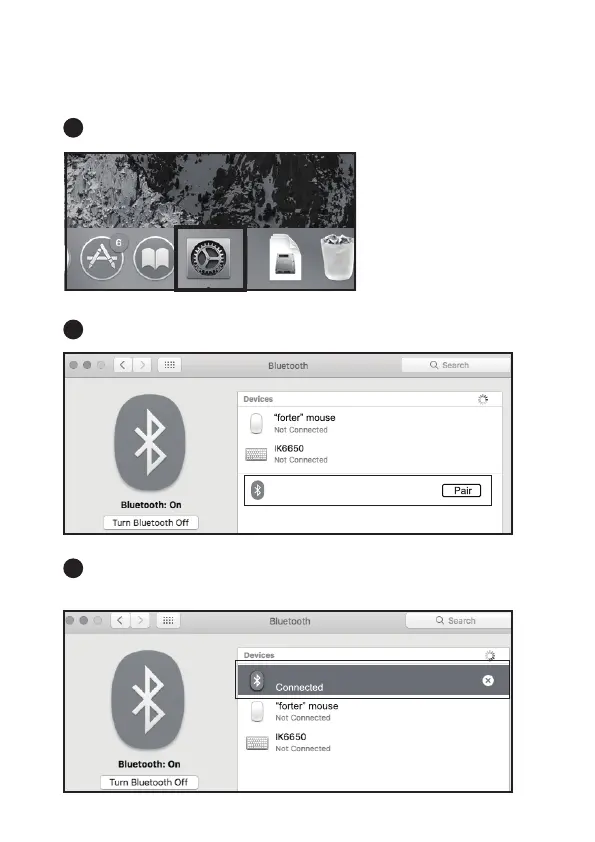
Mac OS System
Click "System Preferences" on Mac.
Click "Bluetooth" in "System Preferences".
Your computer will automatically find "MECH K301", the click "Pair",
and you can use it after installation.
Please complete the Bluetooth mode installation step ①② before pairing.



 To Next Page