4
5
6
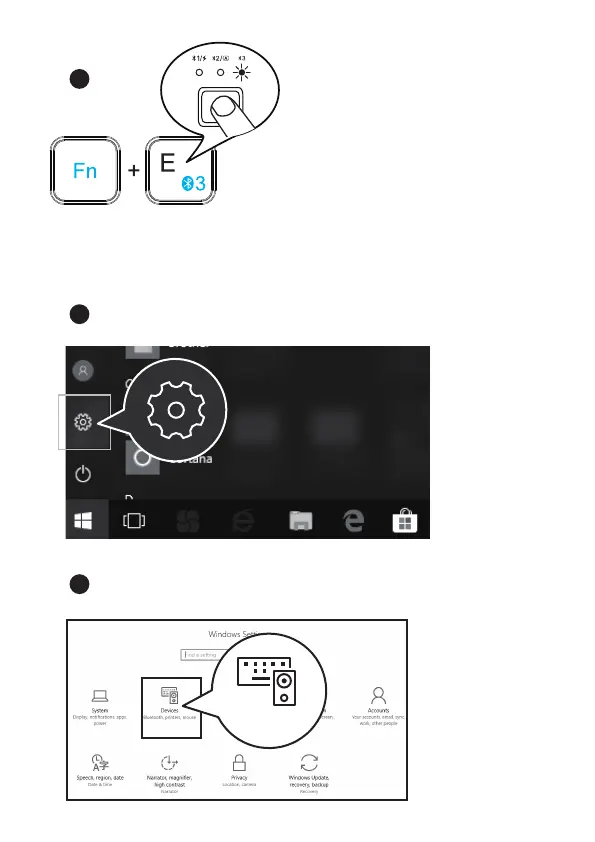
Windows 10 System
Devices
Bluetooth, printers, mouse
4. Short press “Fn+BT3" to choose
Bluetooth Channel 3, the BT3 white
indicator will flash once, then long press
“Fn+BT3", the BT3 white indicator flashes
quickly, keyboard enters into pairing mode.
Click SETTING - DEVICES.
Click ADDING BLUETOOTH OR OTHER DEVICES.



 To Next Page