5
6
7
Mac OS System
“forter” mouse
ProtoArc XK02
Connected
Before pairing the keyboard, please operate as step 1,2,3,4 to make sure
the keyboard entering into pairing mode.
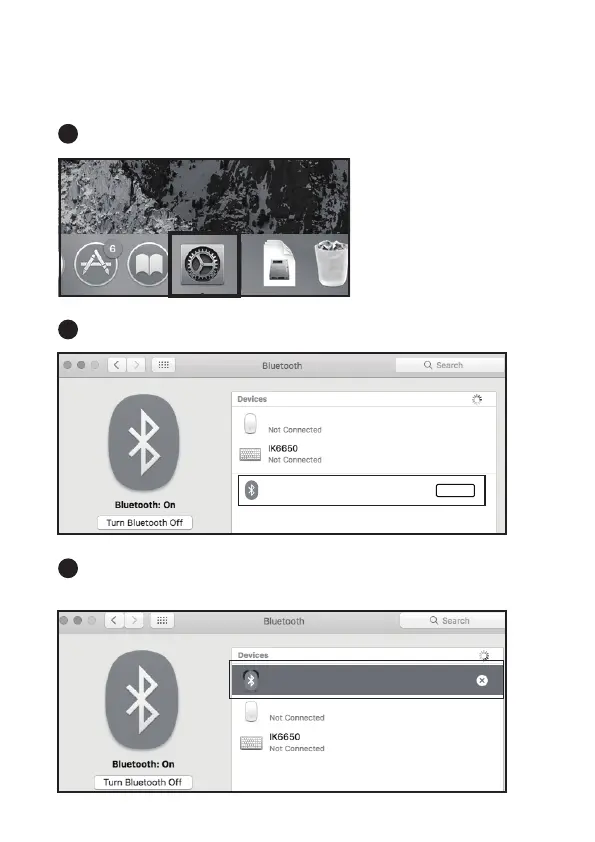
Click SYSTEM PREFERENCES - BLUETOOTH.
When the devices find ProtoArc XK02, click PAIR.
When ProtoArc XK02 shows CONNECTED, the keyboard is ready to
use.
ProtoArc XK02
Pair
“forter” mouse



 To Next Page