Keyboard Charging
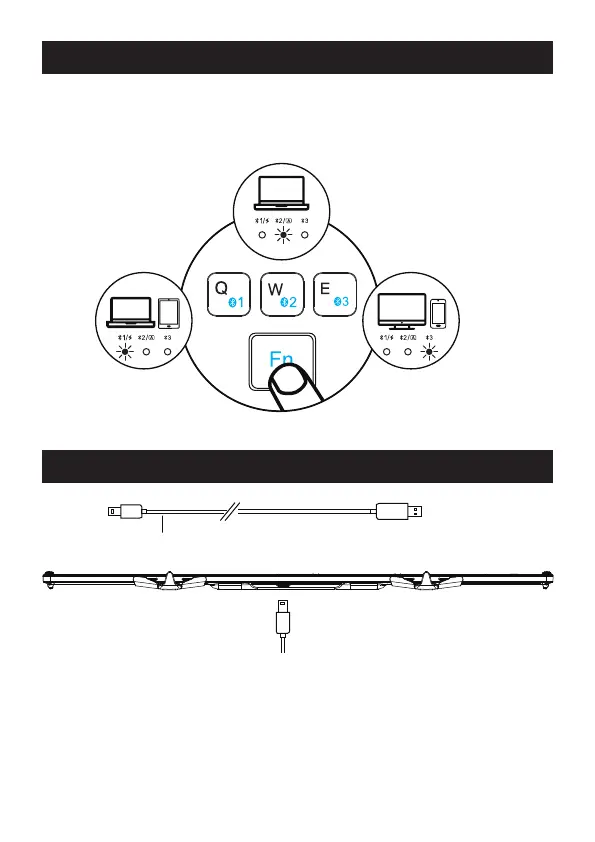
How to Switch Between Three Device
BT1 Connection BT3 Connection
BT2 Connection
Type C Charging Cord
After successfully connected to 2 or 3 devices, you can switch between them
easily by pressing "Fn" + "BT1/BT2/BT3".
1. When the keyboard is in low power condition, the corresponding BT channel
in use will flash in White light. Also there will be a delay or lag while typing,
which will affect normal use.
2. Please recharge the keyboard in time via the type C cable to ensure the
keyboard has sufficient power for using.



 To Next Page