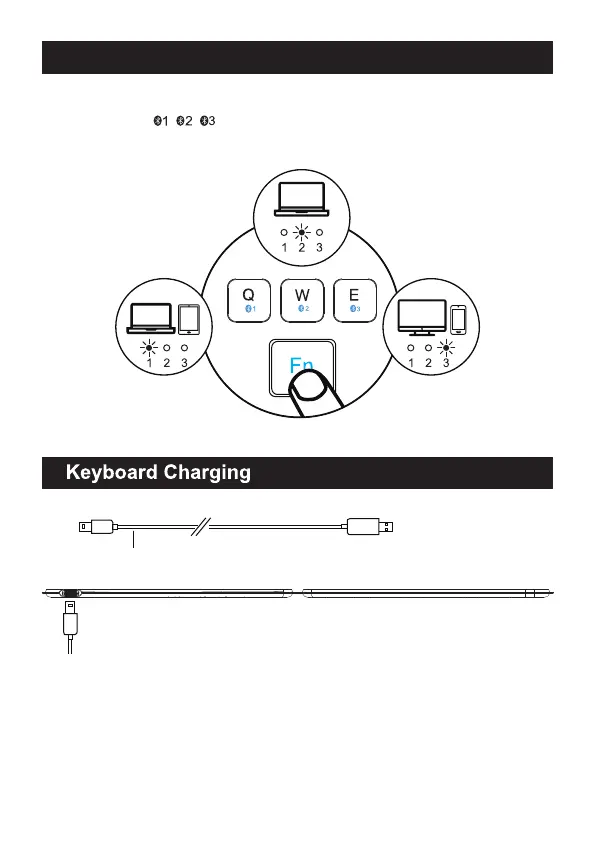
After getting connected to three device, you can easily switch the connection by
pressing “Fn” + “ / / ”.
BT1 Device Connection BT3 Device Connection
BT2 Device Connection
Type C Charging Cord
*Notice:
When the power is low, the white light of the channel in use will flash until it is
turned off;
When the power of the keyboard is low, there will be a delay or lag when typing,
which will affect normal use. Please connect the power supply to charge in time
to ensure that the keyboard has sufficient power for normal work.
How to Switch Between Three Devices



 To Next Page