Need help?
Do you have a question about the Provision ISR I5PT-320IPMX10-P and is the answer not in the manual?
Details factory default settings for IP camera network configuration, including IP address, subnet mask, gateway, and WEB port.
Configures video image settings like brightness, contrast, saturation, sharpness, W/B mode, power frequency, and anti-flicker.
Sets On Screen Display (OSD) parameters, including color, font size, overlay items, time/date format, and title message.
Allows adding custom text titles to the camera video feed for identification or information display.
Configures video stream parameters such as compression, resolution, frame rate, bit rate, and quality for main and sub streams.
Sets basic network configurations including IP version, DHCP/Static IP, subnet mask, gateway, and DNS server settings.
Manages network ports for camera operation, including WEB, ONVIF, RTSP, and DATA ports, advising to disable unused ones.
Configures event settings such as motion detection, including scheduling and detection area parameters.
Enables/disables motion detection based on pixel change, requiring configuration on both camera and NVR for recording.
Manages system settings including user accounts, language, date/time, factory reset, reboot, and firmware upgrades.
Manages system users by adding, modifying, or deleting accounts with different permission levels (Admin, Operator, User).
Allows changing the system language of the camera interface, requiring a save and refresh to apply the selection.
Sets the camera's date and time, including timezone and Daylight Saving Time (DST) configuration, often auto-synced by NVR.
Restores camera settings to factory defaults, with an option to retain network configurations like IP addresses and ports.
Manually reboots the camera to clear memory and cache, with the process typically taking 1-4 minutes.
Enables scheduled weekly reboots to maintain camera performance by clearing memory and cache over time.
Updates camera firmware to add new features or fix bugs, requiring a file selection and reboot after the 3-12 minute process.
Details protective measures against lightning and surges for outdoor installation, including grounding and signal line separation.
 General
| Image Sensor | 1/2.8" Progressive Scan CMOS |
|---|---|
| Weatherproof Rating | IP66 |
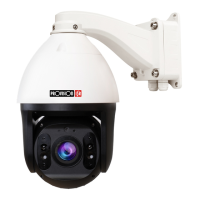
| Camera Type | PTZ |
| Aperture | F1.6 |
| Minimum Illumination | 0.05 Lux (Color), 0.01 Lux (B/W) |
| Day/Night | IR Cut Filter |
| Audio Support | Yes |
| Video Compression | H.265/H.264 |
| Network Interface | RJ45 10/100Mbps |
| Operating Conditions | -30°C |

 To Next Page