32
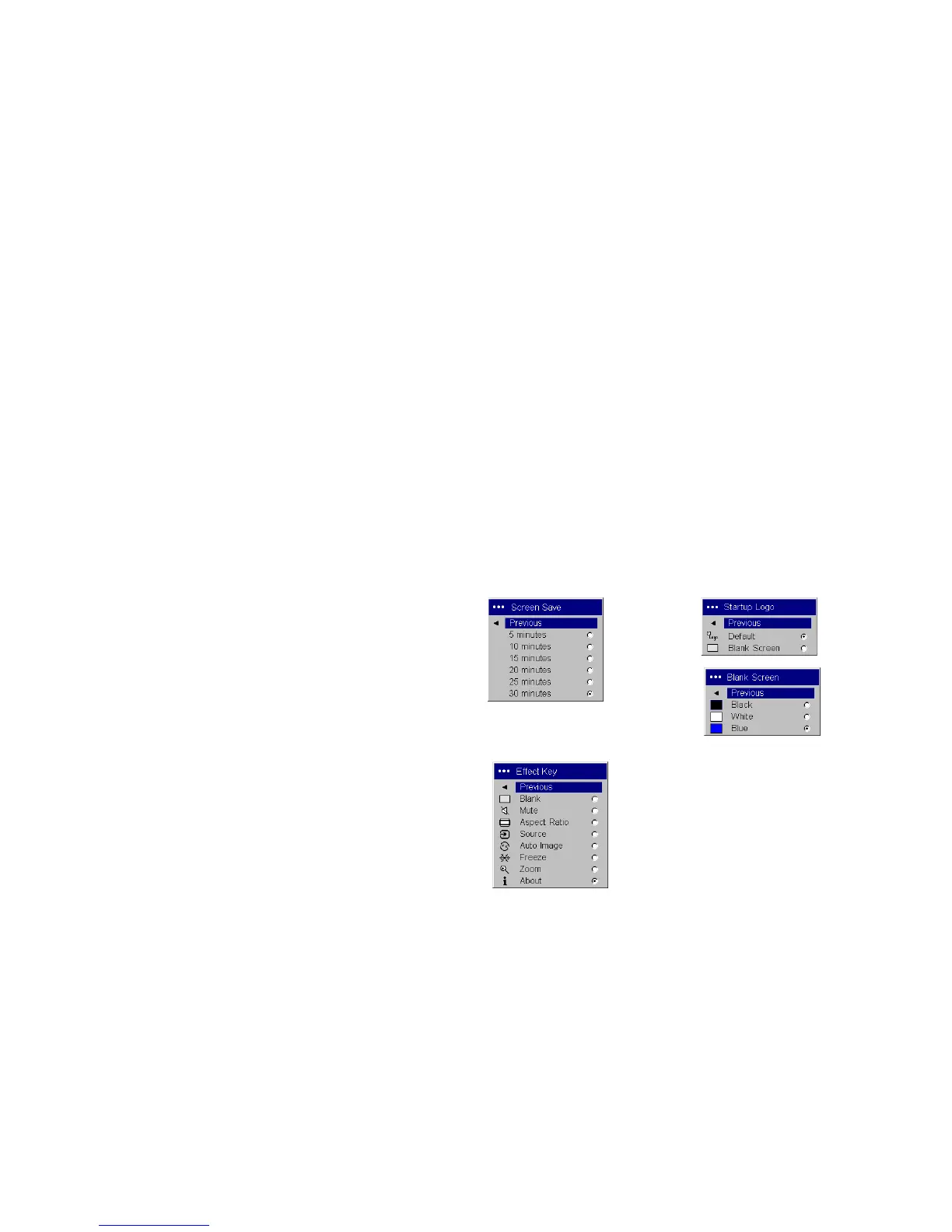
Screen Save: automatically blanks the screen with a black color after no sig-
nals are detected for a preset number of minutes (the default is 30 minutes).
The image returns when an active source is detected or a remote or keypad
button is pressed. Screen Save is disabled when Power Save is enabled.
Startup Logo: allows you to display a blank Black, White, or Blue screen
instead of the default screen at startup and when no source is detected.
Blank Screen: determines what color displays when no source is active.
Effect Key: allows you to assign a different function to the Effect button on
the remote to quickly and easily use the effect. Only one effect can be
enabled at a time. Highlight an effect and press Select to choose a different
one.
Blank: shows an empty screen.
Mute: turns off all sound.
Aspect Ratio: sets the ratio of the image width to image height.
Source: cycles through the available sources.
Auto Image: causes sources to be reacquired.
Freeze: pauses the projected image.
Zoom: lets you magnify a part of the screen. This feature only works if
you purchase an optional remote control with mouse buttons and cur-
sor control. To use the Zoom effect, press Effect, then press the left but-
ton to zoom the image, press the right mouse decrease the
magnification. You can use the cursor control to pan the image, display-
ing different parts of it (only if the image is magnified). To return to the
original size and cancel Zoom, press the Effect button a second time.
About: is the default effect. It displays the About menu.
Startup Logo
Screen Save
Blank Screen
Effect Key


 To Next Page