Product Overview
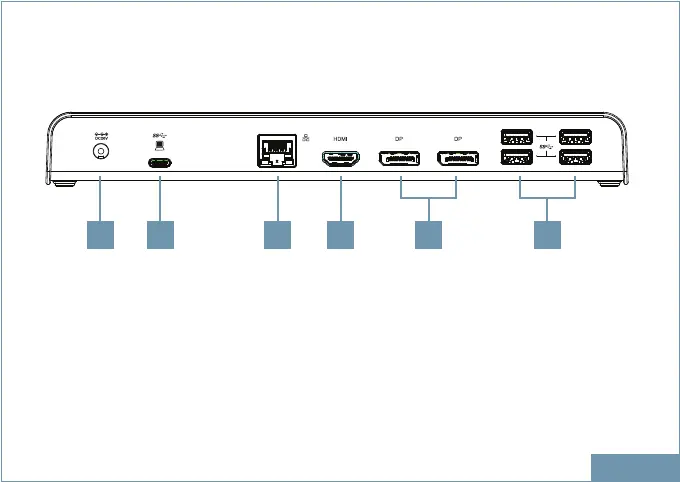
1. Power jack Connect to power adapter
2. USB-C port Connect to the USB-C port of a computer
3. RJ45 port Connect to Ethernet
4. HDMI connector Connect to HDMI monitor
5. DP connector x 2 Connect to DP monitors
6. USB3.2 Gen 1 port x 4 (Type-A) Connect to USB devices
ENGLISH
1 2 3 4 5 6
REAR


 To Next Page