Product Overview
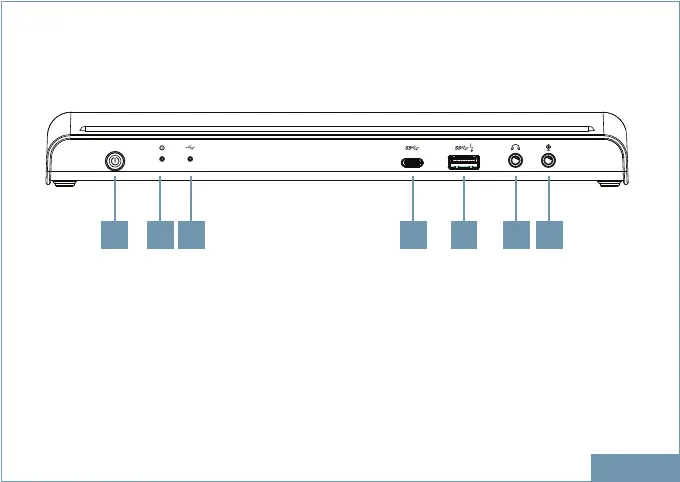
1. Power button Switch to power on /off
2. Power indicator LED shows blue when power on
3. USB connection indicator LED shows green when USB is connected
4. USB-C port Connect to USB-C device only
5. USB3.2 Gen 1 port (Type-A) Connect to the USB3.2 Gen 1 device. This port
supports fast charging
6. Headphone jack Connect to a speaker or headphone
7. Microphone jack Connect to a microphone
ENGLISH
1 72 3 4 5 6
FRONT


 To Next Page