M button
Answer/Reject call
6
MAINTENANCE AND CLEANING
• Clean the device after use with a dry cloth or using a cloth
damp with a small amount of soapy water.
• Do not use any chemical or abrasive cleaning agents.
• Do not use sharp objects, nails or brushes.
STORAGE
• When not using the device for long periods of time, store it
away from heat, humidity and direct sunlight.
• In such an event, charging once per month is recommend-
ed to avoid battery overconsumption.
USER MANUAL
PACKAGE CONTENTS
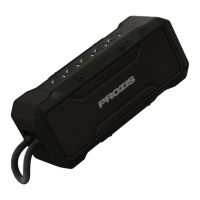
1 x Prozis Aura - Wireless speaker
1 x USB charging cable
1 x AUX IN cable
1 x User Manual
PRODUCT DESCRIPTION
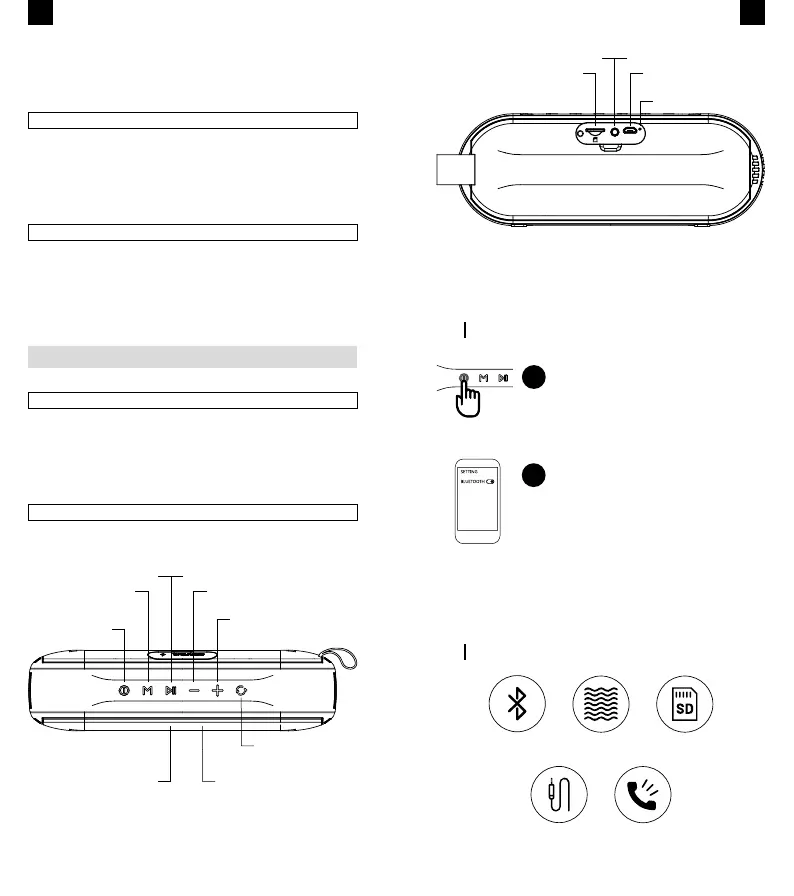
Restart
Power ON/OFF
Play/Pause button
Status Indicator
EQ switch
Short-press Previous Track
Long-press Vol -
Mic
Short-press Next Track
Long-press Vol +
• Keep the device away from children.
• Do not insert any items into the device’s USB ports to avoid
damage.
EN
BLUETOOTH
4.2 VERSION
IPX6
WATERPROOF
MICRO SD
SLOT
AUX
INPUT
HANDSFREE
CALL
7
When using AUX mode, long-press M button, Play/Pause
button, and short-press +/- buttons are inactive.
HOW TO USE
FUNCTIONS
Long-press the Power On/Off but-
ton to activate the Bluetooth mode.
The blue indicator light will ash.
In the Bluetooth mode, press the M button to connect to a
different device. The indicator ashes.
Connect to your device:
Settings > Bluetooth > Choose
device > Prozis AURA
When successfully connected, the
blue indicator light remains lit.
1
2
Micro SD slot
AUX IN Jack
DC IN
Charging indicator
EN


 To Next Page