8
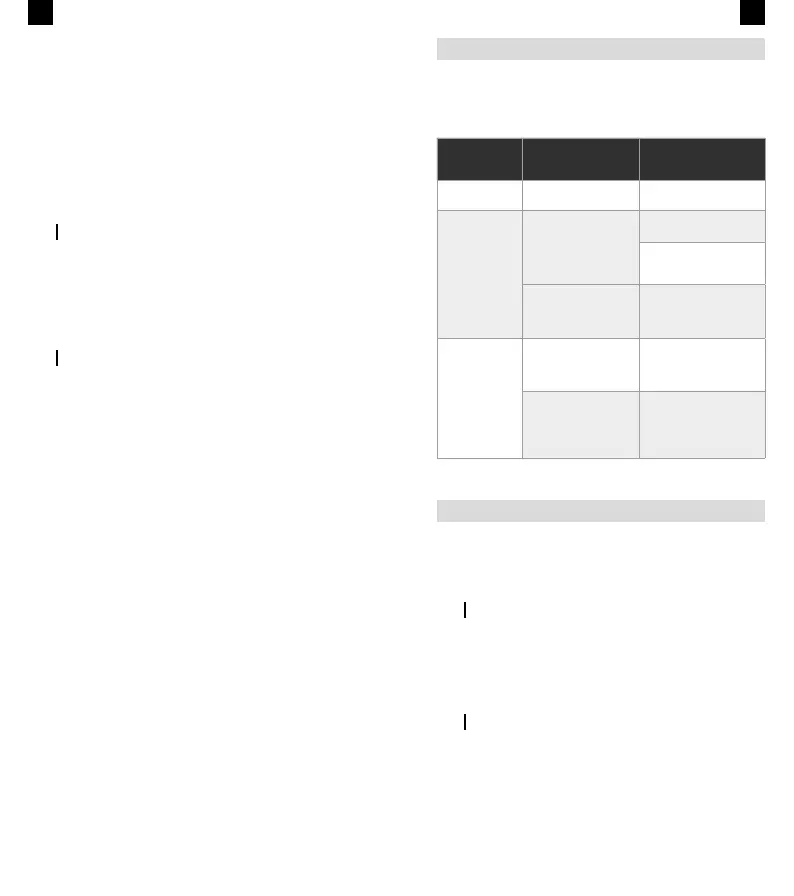
• Short-press the M button to choose Bluetooth, Micro SD
or AUX mode.
• Reset: long-press the Power button for at least 10 seconds.
• Answer/Reject call: short-press M button to answer, long-
press to reject.
• Supports Micro SD Cards up to 32 GB.
• Short-press the EQ button to choose between 3 EQ
modes; long-press for 3 seconds to restore default mode.
• IPX6: Exposure to water jets for 3–5 minutes will not harm
the device. Do not immerse in liquid.
CHARGING
Actual battery performance may vary based on settings, en-
vironment and usage.
Charge the device using the enclosed USB cable by connect-
ing it to a computer or an adapter.
INDICATORS
• Blue indicator ashes: Awaiting connection in pairing mode.
• Blue indicator remains lit: Connected via Bluetooth, AUX
port or Micro SD Card.
• Red indicator ashes: Battery voltage lower than 3.4 V. A
ashing red light means the speaker needs to be charged.
• Charging status indicator light: Red light is on when
charging or off when fully charged.
Note: Your speaker will switch off automatically after 15 min-
utes if not paired with any device, in order to save energy.
EN
9
TROUBLESHOOTING
Some issues that may arise can be solved by the user. If the
problem persists after having tried the following solutions,
please contact Prozis customer service.
EN
Technical
problem
Cause Solution
The speaker
does not work.
The device battery is
empty.
Charge the device battery.
The speaker
does not connect
to the playback
device.
An operation error has
occurred in the speaker
and/or playback device.
Switch off the speaker and
connect again.
Check if there are other
devices connected to the
playback device.
The connection is un-
stable. The distance
between devices is
too large.
Reduce the distance be-
tween the speaker and
the playback device.
There is no
sound.
The speaker volume or
playback device volume
is too low.
Follow the instructions to
increase speaker volume,
or increase playback
volume.
The connection is com-
promised.
Reduce the distance be-
tween the speaker and
the playback device.
Interrupt the connection
and retry.
WARRANTY STATEMENT
All electrical and electronic products commercialized by Pro-
zis via www.prozis.com are covered by the warranty applica-
ble to the purchase and sale of consumer goods.
GENERAL CONSIDERATIONS
This document contains the terms and conditions of Prozis’
warranty for nal consumers.
This warranty is valid exclusively for consumers who pur-
chase the product for non-professional purposes.
WARRANTY PERIOD
Prozis guarantees the product is to remain free from material
and production defects for a 2-year period, counting from
the date of initial purchase by a consumer and respective de-
livery, or for longer if legally established by the applicable
national law.
In the event that repair is required, this 2-year period is sus-
pended during repair time.


 To Next Page