10 11
OUT1: ON
GRAPH EQ: ON
MUTE ALL (ENTER)
GRAPH EQ: ON
ON ALL [ENTER]
GRAPH EQ: ON
• Mute
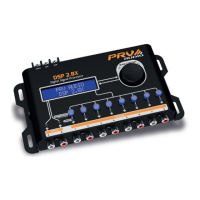
The outputs can be switched individually on and o quickly by holding down the
HOTKEY key that corresponds to the output. The LED color indicates the status
of the output.
In the “MUTE” screen, you can sll
turn o and on all the output channels
simultaneously using the MAIN CONTROL
go to the output eld and select “ALL-
ENTER” or “ALL-ENTER ON”. Then fast
touch on MAIN CONTROL. You can also
turn the input graphic equalizer on or o.
BLUE LIGHT: OUTPUT ON / RED LIGHT: OUTPUT OFF (MUTE)
MAIN MENU
Graph EQ Presets
GRAPH EQ PRESETS
Loudness
• Graphic Equalization Presets
The DSP 2.4X oers 12 graphic equalizaon presets that are selected from the
“GRAPH EQ PRESETS ” in the main menu:
• FLAT • LOUDNESS • BASSBOOST • MID BASS • TREBLE BOOST
• POWERFUL • ELECTRONIC • ROCK • HIP HOP • POP
• VOCAL • PANCADAO (Heavy Beat)
• Save / Load / Factory Reset
The DSP 2.4X has 5 memory slots available for saving personalized sengs,
accessed via the “SAVE” funcon. Saved sengs can be named with tles up
to 15-characters long. Besides the memory space available to the user, there
is autosave, where all parameters and sengs are saved in a separate working
To load previously saved sengs use
the “LOAD” funcon. This funcon also
allows the factory presents to be loaded
via the “DEFAULT” memory.
SAVE MEMORY1
Memory1
LOAD
Default
FACTORY RESET
NO [YES]
memory. Or rather, if there is a drop in
power or the product is turned o during
conguraon, the sengs will not be lost.
This funcon cannot be disabled.
If you want to restore all of the DSP 2.4X factory sengs, simultaneously hold down the
HOTKEY shortcut keys for outputs 1, 2 and 3 while turning on the device.
This procedure will erase all internal sengs and saves.
Tone Generator: Generate a specic frequency with gain control.
Each press on the MAIN CONTROL parameter is edited between frequency, gain
and ON/OFF. With the generator on it is sll possible to change the frequency
and gain in real me, and even modify other audio parameters of the processor.
• Security
This funcon locks the ability to edit sengs, including blocking the save
and load sengs. Via the “SECURITY” menu you can lock or unlock (“LOCK/
UNLOCK”) and change the password (“CHANGE PASSWORD”).
The funcon on/o the output channels is not blocked.
SECURITY
Lock/Unlock
ENTER PASSWORD
____
SECURITY
Charge Password
CHARGE PASSWORD
Current PW:____
Default password: PRV1 (all caps)
• Tools
The audio processor has tools to aid in the regulaon of your sound system,
TONE GENERATOR, FREQUENCY SWEEP and PINK NOISE GENERATOR. These
tools are signal sources for all outputs, that is, during their use as inputs.


 To Next Page
 Loading...