4
Changing the Comply Premium Earphone Tip
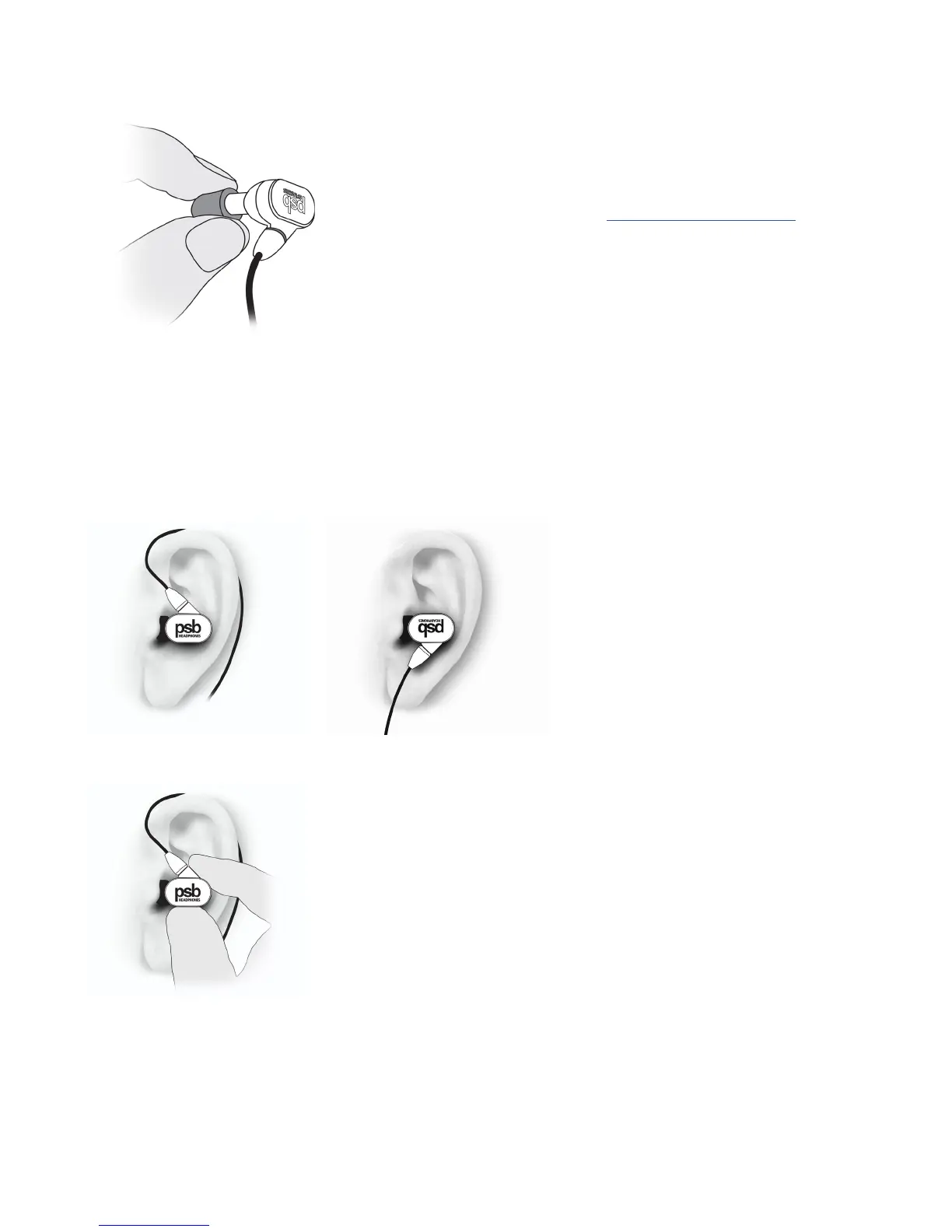
I. Twist and remove the old tip and discard it.
II. Clean earphone soundtube of any debris.
III. Securely apply the new Comply Premium Earphone Tip onto the clean, dry soundtube.
Comply recommends replacement after 3 months of regular use.
Find more information and replacement tips online at www.complyfoam.com/psb-speakers/
Connecting Earphones to Music Device
I. Connect the straight connector of the M4U cable to any device with a standard 3.5mm stereo plug (headphone jack).
II. Turn the volume down to a comfortable listening level on the device before putting on M4U headphones.
NOTE: Grasp the plug at the end of the cable and pull to disconnect. Never pull on the headphone cable to disconnect the headphones from the
music player.
Wearing the Earphones
The moulded cable with the ear loop can be worn over
the ear to help keep the earphones in place during
physical activity.
TThe standard cable can also be worn straight down
for less active listening. We also recommend using
the standard cable when connecting to in-flight
entertainment systems.
We also recommend using the standard cable when
connecting to in-flight entertainment systems.
Removing the Earphones
I. Grasp the body of the earphone and gently twist to remove.
NOTE: Do not pull on the cable to remove.


 To Next Page