7
TROUBLESHOOTING
If you require service, please visit your local authorized PSB service centre, or www.psbspeakers.com/lounge. If you have moved since your purchase, the
nearest authorized PSB dealer will be able to assist you. If the problem is not resolved, please contact us directly and provide the model name, serial
number, date of purchase, dealer name, and a detailed description of the issue.
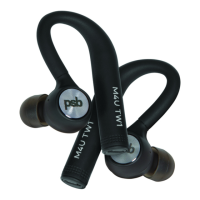
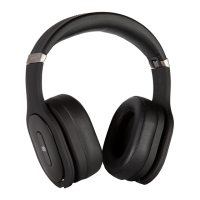
Thank you for choosing PSB M4U Headphones. We hope this owner’s guide is useful in the operation of your new headphones and its features.
PSB Speakers
633 Granite Court
Pickering, Ontario L1W 3K1
CANADA
www.psbspeakers.com
888-772-0000 (905) 831-6555
Fax: 905-831-6936
PROBLEM POSSIBLE CAUSE WHAT TO DO
Low volume output I. Volume set too low. I. Check that the cable is properly connected and fully inserted into the source device.
II. Increase (+) the volume to a medium level using the volume controls on the cable. Also increase
the volume of the source device.
No sound audio/
intermittent
I. Source device muted
II. Source device not
producing audio
signal.
III. Cable not correctly
connected.
I. Check the source device is powered on and playing at a medium volume level.
II. Audio output on the source device not activated (refer to device manual for instructions).
III. Check the connection of the source device to the headphone cable and change the cable where
necessary.
Audible distortion
in playback
I. Cable not correctly
connected.
I. Check the connection of the source device to the headphone cable and change the cable where
necessary.
Eartip falling out I. Eartip not properly
secured to earphone.
I. Fully remove the eartip. Pull back and up on the ear to open the canal. Gently insert the entire
earphone tip into the ear. Hold the tip in place until comfortable.
Sound is only in
one earphone
I. Cable not correctly
connected.
I. Disconnect and reconnect the cable from the earphone and/or device and make sure it is
securely connected.
Integrated controls
not functioning
properly
I. Apple device may not
be compatible/faulty.
II. Cable not correctly
connected.
I. Check the Apple compatibility guide on page 5.
II. Disconnect and reconnect the earphone to ensure the connection is secure.
III. Remove any protection case from the source device for a better connection point.


 To Previous Page
 Loading...