EasyManua.ls Logo

PSC 101 - Calibration

Default Icon
34 pages
Print Icon
To Next Page IconTo Next Page
To Previous Page IconTo Previous Page
Loading...
-
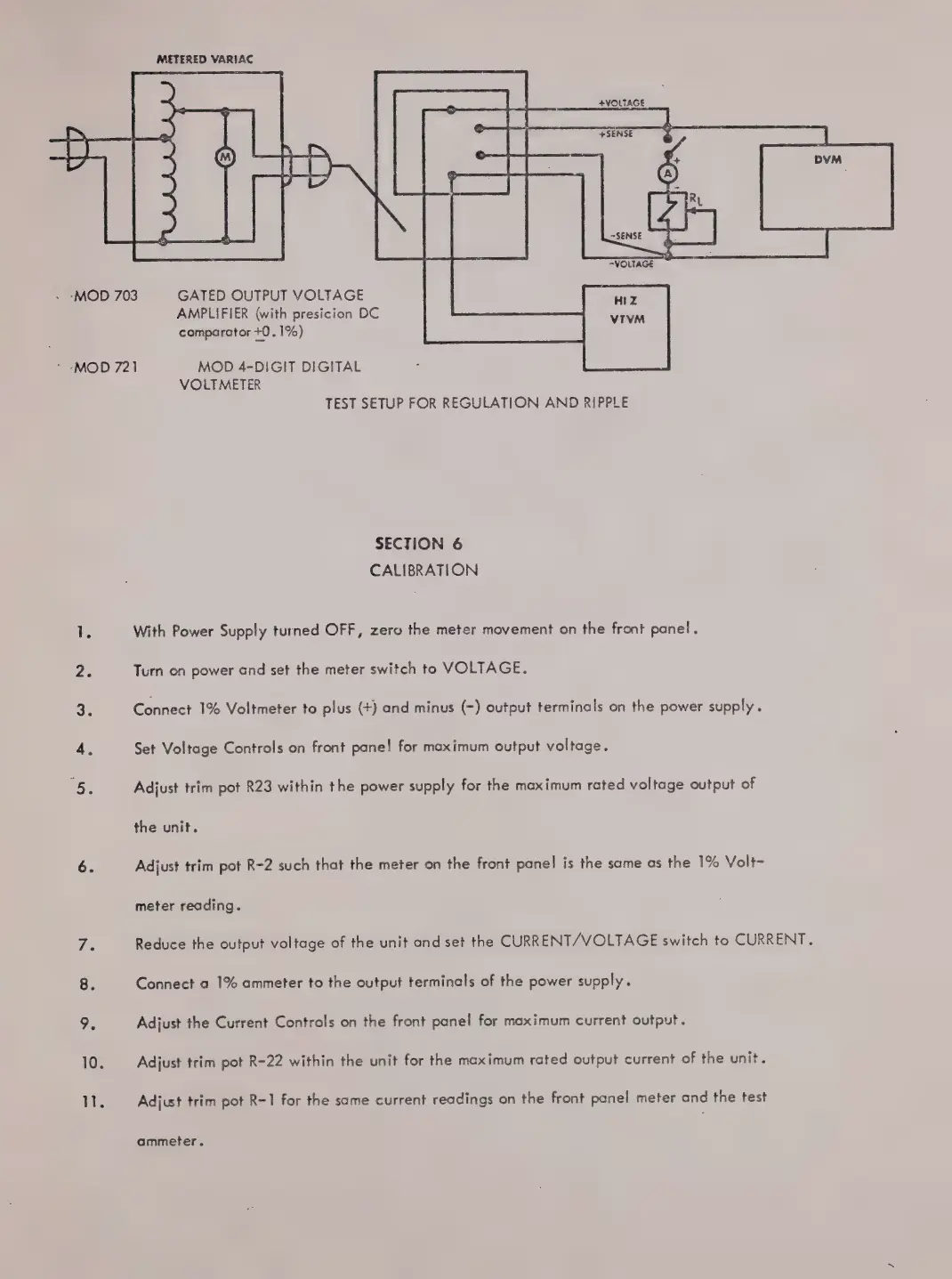
‘MOD
703
`
-MOD
721
MOD
4-DIGIT
DIGITAL
METERED
VARIAC
GATED
OUTPUT
VOLTAGE
AMPLIFIER
(with
presicion
DC
comparator
+0.
1%)
VOLTMETER
TEST
SETUP
FOR
REGULATION
AND
RIPPLE
SECTION
6
CALIBRATION
With
Power
Supply
turned
OFF,
zero
the
meter
movement
on
the
front
panel.
Turn
on
power
and
set
the
meter
switch
to
VOLTAGE.
Connect
1%
Voltmeter
to
plus
(+)
and
minus
(-)
output
terminals
on
the
power
supply.
Set
Voltage
Controls
on
front
panel
for
maximum
output
voltage.
Adjust
trim
pot
R23
within
the
power
supply
for
the
maximum
rated
voltage
output
of
the
unit.
Adjust
trim
pot
R-2
such
that
the
meter
on
the
front
panel
is
the
same
as
the
1%
Volt-
meter
reading.
Reduce
the
output
voltage
of
the
unit
and
set
the
CURRENT/VOLTAGE
switch
to
CURRENT.
Connect
a
1%
ammeter
to
the
output
terminals
of
the
power
supply.
Adjust
the
Current
Controls
on
the
front
panel
for
maximum
current
output.
Adjust
trim
pot
8-22
within
the
unit
for
the
maximum
rated
output
current
of
the
unit.
Adjust
trim
pot
R-1
for
the
same
current
readings
on
the
front
panel
meter
and
the
test
ammeter.